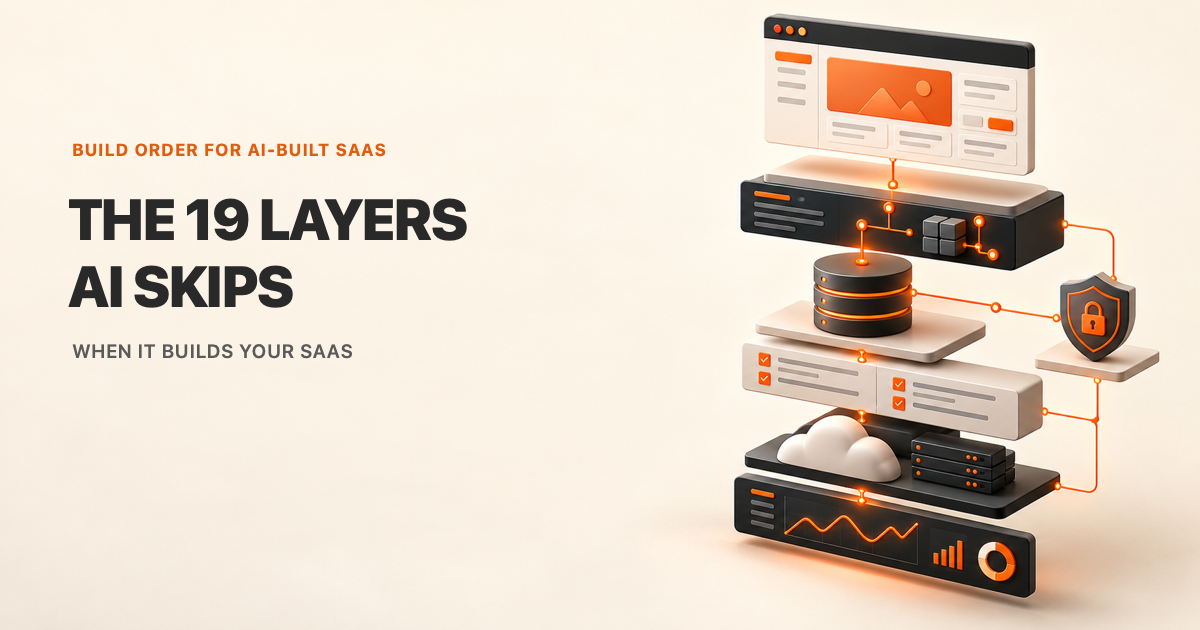
A screen that loads is not the same as a SaaS that is ready for users. The unseen parts decide whose data is returned, what happens when a request repeats, and how anyone will know the service is broken.
Code agents are useful builders. They still need a design, boundaries, and a way to prove each change. Use the layers below as a dependency map. Work in small slices, revisit earlier choices when evidence changes, and do not treat a green test as proof of every production condition.
In short: decide what the product must do, map its components, define data ownership and access, then build, test, ship, harden, observe, and scale. The order reduces avoidable rewrites. It does not remove product decisions or human review.
// Start with one bounded task
Build this with your AI agent
Want to work through the guide? Copy this prompt into Claude Code or Codex with the project open.
Read this guide: https://codewithnishant.dev/free/web-app-layers/ and the official documentation linked from it. Inspect this repository and identify its stack, current test and build commands, existing architecture decisions, data boundaries, and uncommitted changes. Help me build one SaaS layer at a time in the order in the guide, starting with System Design. Before changing files, propose the current layer's goal, affected files, assumptions, risks, and a small plan. Ask for missing product decisions. Do not install or upgrade packages, create cloud resources, expose credentials, spend money, deploy, or publish without my approval. After I approve the plan, implement only that layer, add or update tests, run the existing checks that apply, and report the exact commands and results, changed files, assumptions, and remaining risks. Preserve unrelated work. Never edit a test just to make it pass. Stop after the current layer and wait for review.
Why build order matters
Later work depends on decisions made earlier. A screen can be redrawn. A missing tenant boundary can leak records across customers. A payment endpoint that has no retry behavior can repeat an operation. Fixing these after launch often means changing several connected parts at once.
The sequence is a set of dependencies, not a waterfall. A database test may expose a design gap. A hosting limit may change the architecture. Return to the earlier decision, record why it changed, and update the checks that depend on it.
| Build from | Because | Do not skip ahead to |
|---|---|---|
| Users and constraints | They define the system boundary | Choosing a database from habit |
| Data and identity | They shape permissions and API behavior | Polishing screens around fake records |
| Tested behavior | It makes releases repeatable | Deploying an unverified build |
| Production signals | They show actual bottlenecks and failures | Scaling based on guesses |
The 7 phases
Each phase gives the next one something concrete to rely on. The diagram is deliberately small; each layer gets its own detail below. Commands are examples, not scripts verified in this repository. Adapt them to the target project's existing stack and test runner. If it has no relevant check, ask the agent to propose a small test before adding tools.
PLAN        01 System Design -> 02 Architecture
FOUNDATION  03 Databases -> 04 Storage -> 05 Auth
            06 Permissions -> 07 API -> 08 Backend logic
PRODUCT     09 Frontend
SHIP        10 CI/CD -> 11 Testing -> 12 Hosting
HARDEN      13 Security -> 14 Limits -> 15 Cache
            16 CDN
OPERATE     17 Errors/logs -> 18 Monitoring
GROW 19 Scaling| Phase | Layers | Ready to move on when |
|---|---|---|
| Plan | 01 System design, 02 Architecture | Users, boundaries, flows, and open choices are written down |
| Foundation | 03 Databases, 04 Storage, 05 Auth, 06 Permissions, 07 API, 08 Backend logic | Data ownership and server-side rules are testable |
| Product | 09 Frontend | Every main user state has a deliberate interface |
| Ship | 10 CI/CD, 11 Testing, 12 Hosting | A repeatable build can be checked and released safely |
| Harden | 13 Security, 14 Rate limits, 15 Cache, 16 CDN | Abuse and shared-response risks have explicit controls |
| Operate | 17 Error tracking and logs, 18 Monitoring and alerts | Failures can be found and routed to an owner |
| Grow | 19 Scaling | Measured bottlenecks guide the next capacity change |
Layer 0: Set the agent up first
A project instruction file gives a coding agent stable context: what the project is, how to run it, where boundaries sit, and which checks matter. Keep it short enough to stay accurate. Put shared rules in AGENTS.md and Claude Code specific behavior in CLAUDE.md. Add only instructions that can be followed and checked.
The working loop is plan, inspect, change a small slice, run proof, review the diff, and record the result. A reusable project instruction template shows how to add concise project context without replacing existing rules.
| Useful instruction | Weak instruction |
|---|---|
“Run npm run build after editing a page.” | “Make everything perfect.” |
| “Keep tenant checks on the server and test a denied request.” | “Remember security.” |
| “Ask before adding dependencies or changing deployment settings.” | “Use your judgment.” |
Setup prompt
Inspect this repository. Draft a concise AGENTS.md with the project's purpose, stack, safe local commands, important file locations, and existing verification steps. Read the current instructions first. Show the proposed file and conflicts before editing. Do not invent commands, replace existing guidance, add secrets, install tools, or make external changes.Verify
git diff --check && git diff -- AGENTS.md CLAUDE.md01. System design
System design starts with the people, jobs, data, constraints, and failure conditions the product must support. It turns a vague idea into request flows and decisions before implementation details harden.
| Where an agent can miss | Make it prove |
|---|---|
|
|
Prompt
Inspect the repository and this product brief. Do not write application code. Produce a one-page system design in docs/architecture/system-design.md with user roles, core jobs, data classes, trust boundaries, key request flows, failure cases, constraints, and open questions. Label every assumption. Give two plausible designs only where a real tradeoff exists. Recommend one with the reason, then stop for review.Verify
test -s docs/architecture/system-design.md && git diff --check02. Architecture
Architecture assigns responsibilities to components and defines how they communicate. Start with the smallest boundary map that explains the request path, background work, and data access.
| Where an agent can miss | Make it prove |
|---|---|
|
|
| Choice | Use when | Tradeoff |
|---|---|---|
| Modular application | One product and team can release together | Simple operations, but modules need clear boundaries |
| Separate services | A component needs its own scaling, release, or isolation | Independent control, plus network and operations overhead |
Browser -> API -> Service rules -> Database
                 -> Job queue -> Worker
 External service <- Webhook endpoint
Prompt
Using the approved system design, map the current or proposed components and their allowed dependencies. Keep the design in the smallest number of deployable units that meets the stated constraints. Identify synchronous calls, queued work, external services, and data ownership. Compare a modular application with separate services only if the brief supports both. Write the result to docs/architecture/architecture.md, then stop before implementation.Verify
test -s docs/architecture/architecture.md && git diff --check03. Databases
A database stores structured records, relationships, and transaction state. Its schema should enforce the invariants that must hold even when a request bypasses the expected screen.
| Where an agent can miss | Make it prove |
|---|---|
|
|
Database constraints can reject invalid values and broken references even when a request bypasses the expected screen. See the PostgreSQL constraints reference.
Prompt
Inspect the current schema, data rules, and important queries. Propose the smallest database change for this feature with primary and foreign keys, tenant ownership, uniqueness, required values, deletion behavior, and indexes justified by queries. Add focused tests in tests/layers/03-databases.test.ts for invalid references and cross-tenant reads, adapting the path and runner to the existing test runner. Include a migration and rollback plan. Do not apply a migration to shared or production data.Verify
npm test -- --run tests/layers/03-databases.test.ts04. Storage
Object storage holds files such as uploads, exports, and generated media outside the relational data tables. The application still owns the file's access policy, size limits, retention, and lifecycle.
| Where an agent can miss | Make it prove |
|---|---|
|
|
upload -> validate -> private object store
request -> authorize owner -> short-lived link
For private object downloads, Cloudflare R2 presigned URLs provide time-limited access to a specific object. Other providers have their own signing and expiry behavior.
Prompt
Trace this file flow from upload to download and deletion. Keep objects private by default. Define who can upload, read, replace, and delete each object; enforce size and content limits; and document retention and signed-link expiry. Add focused tests in tests/layers/04-storage.test.ts for unauthorized access, invalid files, size limits, and expired access, adapting paths and commands to the existing project. Do not expose storage credentials or change production bucket settings.Verify
npm test -- --run tests/layers/04-storage.test.ts05. Auth
Authentication verifies which account or service is making a request. It establishes identity and session state before the application evaluates access to a resource.
| Where an agent can miss | Make it prove |
|---|---|
|
|
request -> validate credential
         -> resolve account identity
         -> continue to authorization
Prompt
Trace how this feature receives and validates identity. Use the project's existing authentication system and validate credentials at the server boundary. Document session expiry, revocation, and recovery behavior. Add focused tests in tests/layers/05-auth.test.ts for missing, invalid, expired, and valid credentials, adapting the path and runner to the project. Do not store secrets in browser code or invent a second login system.Verify
npm test -- --run tests/layers/05-auth.test.ts06. Permissions
Authorization decides whether an authenticated identity may perform a particular action on a resource. Write the policy around the account, action, resource, and tenant, then enforce it on every server request.
| Where an agent can miss | Make it prove |
|---|---|
|
|
identity + action + resource + tenant
                 -> policy check
                 -> allow or deny
OWASP recommends authorization checks on every request and a deny-by-default policy. See the Authorization Cheat Sheet.
Prompt
Trace the authorization rule for this resource from the authenticated identity to the final data or service operation. Use the existing access model, default to deny, and do not trust caller-supplied ownership fields. Add focused tests in tests/layers/06-permissions.test.ts for no session, wrong owner, wrong tenant, insufficient role, and allowed access, adapting the path and runner to the project. Preserve current policy unless the approved plan changes it.Verify
npm test -- --run tests/layers/06-permissions.test.ts07. APIs
An API is the contract between a client and a server. It defines what a caller may send, what the service returns, and how errors are represented.
| Where an agent can miss | Make it prove |
|---|---|
|
|
Client -> API contract -> validation -> response
                     \-> stable error shape
Prompt
Inspect the existing API routes and conventions. Define the smallest request and response contract for this feature, including field types, size limits, authorization boundary, success status, error shape, and compatibility expectations. Write it to docs/api/feature-contract.md. Add focused tests in tests/layers/07-api.test.ts for valid input, invalid input, denied access, and stable error responses, adapting paths and commands to the existing project. Do not introduce a new API framework.Verify
test -s docs/api/feature-contract.md && git diff --check08. Backend logic
Backend logic applies the product's rules after identity, input, and permissions are checked. It coordinates database writes, external calls, and background work so partial failure does not look like success.
| Where an agent can miss | Make it prove |
|---|---|
|
|
validate -> authorize -> apply rule -> commit
                       failure -> rollback
retry key -> stored outcome, no duplicate effect
Stripe documents idempotency keys for safely retrying supported requests. The same design principle can apply to other repeated side effects, with storage and expiry rules chosen for the application.
Prompt
Inspect the server-side rules and side effects used by this feature. Identify which writes must succeed together, where a transaction is needed, and what a repeated request must do. Implement only the approved rule at the existing service boundary. Add focused tests in tests/layers/08-backend-logic.test.ts for success, validation failure, provider failure, rollback, and duplicate delivery, adapting the path and runner to the project. Keep the response contract stable and do not change external provider settings.Verify
npm test -- --run tests/layers/08-backend-logic.test.ts09. Frontend
The frontend presents the product's states and sends user actions to the API. A complete screen includes loading, empty, error, success, and disabled states, not only the first render.
| Where an agent can miss | Make it prove |
|---|---|
|
|
Prompt
Build the frontend for this approved flow using the existing design system and components. Before editing, list its loading, empty, success, error, and disabled states. Keep authorization on the server. Make controls keyboard-accessible, label fields, announce actionable errors, and prevent duplicate submissions while a request is pending. Add component tests in tests/layers/09-frontend.test.ts for each state, adapting the path and runner to the project if needed. Do not introduce a new UI library.Verify
npm test -- --run tests/layers/09-frontend.test.ts10. CI/CD and version control
Version control tracks changes for review and recovery, while continuous integration runs checks on proposed changes. Continuous delivery prepares a release, and deployment puts it in an environment.
| Where an agent can miss | Make it prove |
|---|---|
|
|
Change -> lint -> test -> build -> review -> deploy
                         failure stops the pipeline
GitHub Actions can automate build, test, and deployment workflows. Its documentation also explains that secrets are scoped by repository, organization, or environment. See GitHub Actions workflows.
Prompt
Inspect the repository's current branch rules and CI configuration. Propose the smallest workflow that runs the existing lint, test, and build commands on proposed changes. Keep deployment out of pull request checks unless the current platform explicitly supports a safe preview. Use least-privilege workflow permissions, no literal credentials, and a protected production environment. Show the workflow and trigger conditions for review before adding it.For a GitHub Actions repository with the GitHub CLI authenticated, inspect recent workflow results after the checks complete.
Verify
git diff --check && gh run list --limit 511. Testing
Tests encode expected behavior so a later change can reveal when it breaks. Unit tests cover small rules, integration tests cover connected components, and end-to-end tests cover a user flow through the running product.
| Where an agent can miss | Make it prove |
|---|---|
|
|
Prompt
Inspect the existing test framework and test conventions. For this feature, identify the highest-risk behavior and write tests for its expected result, a denied or invalid case, and one failure boundary. Run the tests before implementation if practical. If a test fails, explain the observed behavior and fix the product code. Do not delete, weaken, skip, or rewrite an assertion only to get a green result.Verify
npm test12. Hosting and cloud
Hosting provides the runtime, network path, storage, and managed services that keep the product reachable. Choose an environment that matches the app's needs, then document what happens when a deploy or dependency fails.
| Option | Useful when | What it costs in effort |
|---|---|---|
| Managed application platform | Standard web app and API need a quick path to a stable runtime | Platform limits and provider-specific configuration |
| Container or virtual server | Runtime control or custom networking is required | More patching, monitoring, and capacity work |
| Function or edge runtime | Short request handlers fit the platform's runtime model | Execution limits and state placement need care |
| Where an agent can miss | Make it prove |
|---|---|
|
|
Prompt
Inspect the app's runtime, build output, required state, network access, background jobs, and configured secrets. Compare only hosting options that can run this shape of app. Show operational limits, failure modes, cost inputs that remain unknown, health checks, backup needs, and rollback steps. Do not create an account, resource, or deployment. Wait for approval before changing cloud configuration.Verify
npm run build13. Security
Security controls protect trust boundaries, limit each component's access, and make sensitive actions observable. Test them at server and data boundaries.
Tenant data must remain scoped to its owner. A tenant identifier from a URL is not proof of authorization. For a focused after-build review, use the separate vibe coding safety checklist.
| Where an agent can miss | Make it prove |
|---|---|
|
|
OWASP's multi-tenant security guidance describes common risks when customer data shares an application or infrastructure.
Prompt
Review only the trust boundaries and sensitive data touched by this feature. Trace untrusted input, identity, tenant ownership, authorization, secrets, and output. Name concrete abuse cases and the smallest controls this code path needs. Add focused tests in tests/layers/13-security.test.ts for each fixed boundary, adapting the path and runner to the project. Link to existing security guidance instead of duplicating a broad checklist. Do not print secret values or run active scans against production.Verify
npm test -- --run tests/layers/13-security.test.ts14. Rate limiting
Rate limiting caps repeated work before one client can exhaust a shared service. Apply limits at the relevant boundary, such as login, password reset, search, or an expensive API operation.
| Where an agent can miss | Make it prove |
|---|---|
|
|
request -> [shared counter] -- under limit --> handler
                         \-- over limit --> 429 + retry hint
Prompt
Find the expensive or abuse-sensitive endpoints in this feature. Propose a rate-limit policy using the project's existing gateway or shared store. Define the key, window, limit, response status, retry signal, and behavior when the limiter is unavailable. Do not use process memory for a multi-instance production limit. Add focused tests in tests/layers/14-rate-limit.test.ts for allowed, exceeded, reset, and missing-identity cases, adapting the path and runner to the project. Do not change provider settings.Verify
npm test -- --run tests/layers/14-rate-limit.test.ts15. Caching
A cache keeps a response or computed value so the system can reuse it instead of doing the same work again. Its key and freshness rules must preserve every boundary that changes the result.
| Where an agent can miss | Make it prove |
|---|---|
|
|
request -> cache -- hit --> response
             \-- miss --> origin -> response
HTTP caching behavior depends on response directives and relevant request fields. MDN explains Cache-Control, Vary, and private responses in its HTTP caching guide.
Prompt
Inspect this route's response data and identity boundaries. Define what may be cached, the full cache key, freshness period, invalidation path, and behavior after permission changes. Add focused tests in tests/layers/15-caching.test.ts proving that private data is not reused across users or tenants and that updates invalidate stale results, adapting paths and commands to the project. Do not purge or reconfigure production caches.Verify
npm test -- --run tests/layers/15-caching.test.ts16. CDN
A content delivery network serves cacheable content through edge locations closer to users. It can also terminate TLS and absorb some traffic, while the application origin remains responsible for access rules.
| Where an agent can miss | Make it prove |
|---|---|
|
|
browser -> edge -> origin
             | public asset: cache
             | private route: pass through
Cloudflare documents that its CDN does not cache HTML or JSON by default and that rules can change eligibility. Check the active provider configuration and response headers for the actual route before relying on an edge-cache behavior. See Cloudflare default cache behavior.
Prompt
Inspect the current CDN and origin configuration for this route. Separate public, versioned assets from authenticated or tenant-specific responses. Document cache behavior, origin access, TLS termination, trusted proxy headers, purge strategy, and rollback. Add focused tests or a documented staging check in tests/layers/16-cdn.test.ts, adapting paths and commands to the project. Do not change a live CDN rule or purge a production cache.Verify
test -s docs/edge/cdn-policy.md && git diff --check17. Error tracking and logs
Logs record events, while error tracking groups failures with the context needed to investigate them. Both should help diagnose problems without collecting passwords, tokens, or unnecessary personal data.
| Where an agent can miss | Make it prove |
|---|---|
|
|
OpenTelemetry describes traces, metrics, and logs as distinct signals that can be correlated to investigate system behavior. See its observability primer.
Prompt
Trace errors in this feature from the user-facing boundary to the responsible service. Preserve the existing error response contract. Add structured context that helps locate the failing operation, with sensitive values redacted and a request or trace identifier retained. Send unexpected failures to the existing error tracker. Add focused tests in tests/layers/17-errors-logs.test.ts that an error is captured once, the client receives a safe response, and private fields never appear in logs, adapting the path and runner to the project.Verify
npm test -- --run tests/layers/17-errors-logs.test.ts18. Monitoring and alerts
Monitoring tracks service behavior over time, while alerts route meaningful symptoms to someone able to act. A dashboard without thresholds or an owner is decoration.
| Where an agent can miss | Make it prove |
|---|---|
|
|
Prompt
List the user-visible failure modes for this service and the signals already available. Propose a small set of metrics, logs, or traces, with units, dimensions, alert condition, owner, and runbook link. Avoid collecting sensitive fields or creating alerts without an action. Add focused tests in tests/layers/18-monitoring.test.ts or a documented check for the alert rule, adapting the path and runner to the project. Do not enable notifications or change a live monitoring destination.Verify
npm test -- --run tests/layers/18-monitoring.test.ts19. Scaling
Scaling adjusts capacity to meet measured demand while keeping product limits visible. Identify the constrained resource, change one thing, then measure the user-facing result.
| Where an agent can miss | Make it prove |
|---|---|
|
|
Prompt
Inspect existing usage data, resource limits, queue depth, database load, and service targets. Name the measured bottleneck and its evidence. Propose the smallest reversible capacity change and a representative load test with a stop condition. Add a focused test or documented verification in tests/layers/19-scaling.test.ts, adapting the path and runner to the project. State what the test cannot prove. Do not generate load against production or resize a paid resource without explicit approval.Verify
npm test -- --run tests/layers/19-scaling.test.tsThe don't-fool-me prompt
Use this after a feature is implemented and before calling it done. It asks the agent to report unfinished work instead of presenting a confident summary alone.
Review the current diff against the original request. Run the repository's existing lint, typecheck, build, and test commands that apply. Do not install tools or edit tests to hide failures. List every stub, sample response, skipped check, unhandled error path, and unverified assumption you can find. Show the changed files, exact commands and results, and any behavior you did not exercise. Check for secrets and unrelated changes. Do not commit, deploy, publish, or claim success beyond the evidence.10 rules for working with coding agents
| Rule | Why it protects the product |
|---|---|
| 1. Design before editing. | It exposes missing decisions before they become code. |
| 2. Give one layer at a time. | Small changes are easier to review and undo. |
| 3. Keep the server authoritative. | The browser cannot enforce access by itself. |
| 4. Keep ownership in the data model. | Queries can preserve tenant boundaries consistently. |
| 5. Test denial and failure paths. | Happy-path tests leave important boundaries unseen. |
| 6. Do not weaken a test to make it pass. | The test may be the only evidence of a broken behavior. |
| 7. Treat retries as normal. | Networks and providers repeat requests. |
| 8. Review the diff, not just the summary. | A summary can miss scope changes and unfinished code. |
| 9. Measure before scaling. | More infrastructure can add cost without fixing the constraint. |
| 10. Stop before external changes. | Deploys, paid resources, and public actions need an explicit decision. |
Pre-launch checks
These checks turn the design into a release decision. Mark a row only when there is evidence in the current environment.
| Done | Check | Evidence to keep |
|---|---|---|
| ☐ | Required user flows work from a clean account. | Test result or reviewed walkthrough |
| ☐ | Unauthenticated requests are denied where required. | Negative test |
| ☐ | Users cannot read or change another tenant's records. | Cross-tenant test |
| ☐ | Server-side validation rejects malformed input. | Boundary tests |
| ☐ | Repeated side-effecting requests are safe. | Retry or idempotency test |
| ☐ | Database backups and restore steps are understood. | Restore procedure and last exercise |
| ☐ | File uploads have size, type, and access rules. | Upload tests and storage policy |
| ☐ | Secrets are kept outside source control and logs. | Configuration review |
| ☐ | Rate limits protect expensive or abuse-sensitive paths. | Policy and limit test |
| ☐ | Private responses cannot enter a shared cache. | Header and tenant-separation test |
| ☐ | Errors are safe to users and useful to operators. | Captured test error with redaction |
| ☐ | Alerts have a named owner and an action. | Test notification or runbook |
| ☐ | Production build and full relevant suite pass. | Command output or CI run |
| ☐ | Rollback steps are documented and available. | Release procedure |
| ☐ | Expected limits and variable costs are known. | Provider settings and estimate inputs |
| ☐ | Terms, privacy, and support routes are ready for the product. | Reviewed product pages |
AI can write the code. The system still needs an owner.
FAQ
What are the 19 layers of a SaaS?
They are system design, architecture, databases, storage, auth, permissions, APIs, backend logic, frontend, CI/CD and version control, testing, hosting, security, rate limiting, caching, CDN, error tracking and logs, monitoring and alerts, and scaling.
Can an AI coding agent build a SaaS from one prompt?
An agent can generate code from a prompt. It cannot safely infer product requirements, data boundaries, authorization rules, operational limits, and deployment choices that were never specified. Give it one bounded layer at a time, inspect its plan, and verify the result.
What should be built first in a SaaS?
Start with system design and architecture. Define who uses the product, what data it handles, its trust boundaries, and its main request flows before choosing tables, APIs, or screens.
How do you verify code written by an AI agent?
Inspect the changed files, run the project's existing test and build commands, test allowed and denied access paths, and compare the result with real requirements. Passing tests are evidence for the cases they cover, not proof that every production risk is solved.
Official references
- PostgreSQL constraints, keys and data integrity.
- Cloudflare default cache behavior, provider-specific CDN caching rules.
- Cloudflare R2 presigned URLs, time-limited access to an object.
- OWASP Authorization Cheat Sheet, request-level authorization checks.
- OWASP Multi Tenant Security Cheat Sheet, tenant isolation risks.
- Stripe idempotent requests, safe retries for supported API operations.
- GitHub Actions concepts, automated build, test, and deployment workflows.
- MDN HTTP caching, cache directives and varying responses.
- OpenTelemetry observability primer, traces, metrics, and logs.
These references explain specific mechanisms. They do not choose a product architecture or guarantee that a particular implementation is safe. Recheck provider behavior and project constraints before using a configuration in production.