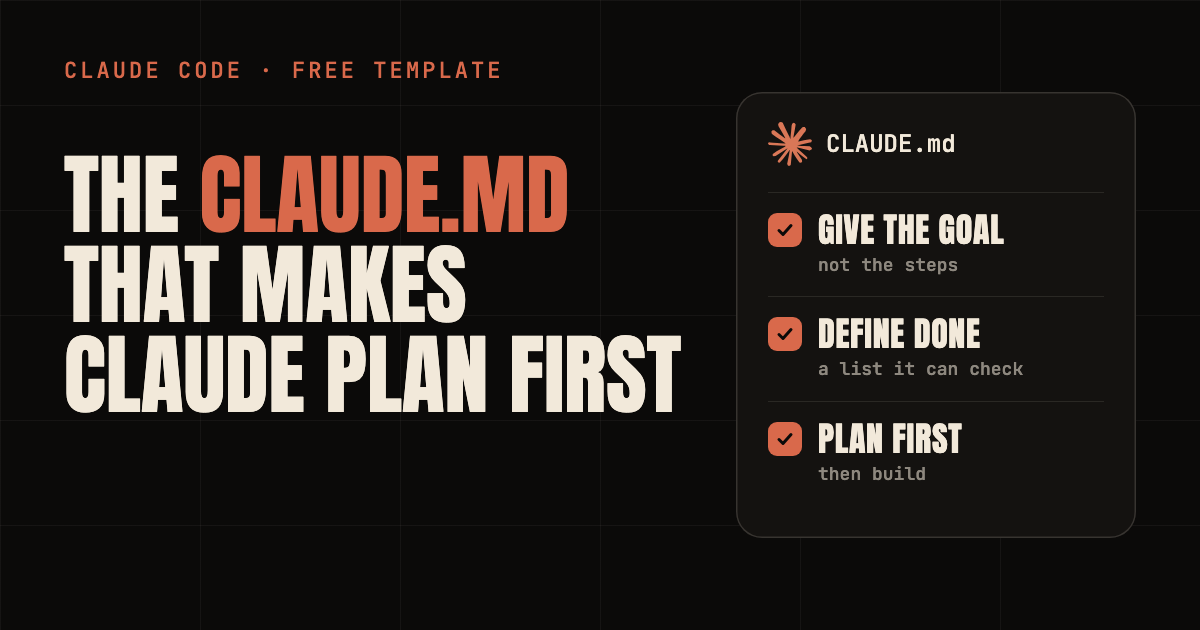
When Claude Code gives a weak result, it is easy to blame the model. Often the problem is the brief. You said "make it perfect" and Claude had to guess what perfect means.
Claude Code reads a file called CLAUDE.md at the start of every session. So you can write your way of working down once, and stop repeating it. This guide gives you a short section to add to yours, built around three habits: give the goal, define what done looks like, and plan before you build.
It also covers the model choice. Use Opus 5.5 for the thinking and Sonnet 5.5 for the building. Claude Code has a built-in mode that does that switch for you.
Give the goal. Define done. Plan first.
// Build this with your AI agent
Build this with your AI agent
Want to try this? Copy the setup prompt into your coding agent with this guide's link.
Read this guide: https://codewithnishant.dev/free/claude-md-template/ and the official Claude Code docs it links to. Help me add the "How to work with me" section from the guide to my CLAUDE.md. First read my existing CLAUDE.md. Do not overwrite, reorder or shorten anything I already have. Add the section once, at the end. If any of my existing rules already cover one of its lines, or contradict it, show me and ask which to keep before you change anything. If I have no CLAUDE.md, create one in the project root with just this section, then offer to add a short "This project" section (what it is, how to run it, how to test it) from what you can see in my project. Keep the whole file under 200 lines and do not print or store any secrets. When you are done, tell me to run /context in Claude Code and check that CLAUDE.md is listed under Memory files, and tell me anything that is still incomplete. Ask before paid services or publishing.
01. The three habits
What changes in how you talk to Claude
| Stop doing this | Do this instead |
|---|---|
| Telling Claude every button and field to add | Give the goal: what you want to exist and who it is for |
| Saying "make it perfect" or "make it good" | Define done: a short list Claude can check |
| Using the same model for planning and building | Plan with Opus 5.5, build with Sonnet 5.5 |
The first two live inside the CLAUDE.md file, so they apply every time. The third is a setting. Sections 04 to 06 explain each one.
02. The CLAUDE.md section
Small on purpose
Here is the whole section. It is five bullet points, small on purpose. You probably have rules in your CLAUDE.md already, and Anthropic says longer files can reduce how well Claude follows them. So this adds a few lines and does not replace anything.
Add to CLAUDE.md
<!-- Add this section to your existing CLAUDE.md. No CLAUDE.md yet? Save it as CLAUDE.md in your project root. From codewithnishant.dev/free/claude-md-template/ -->

## How to work with me
- I describe goals, not steps. If the goal is unclear, ask me up to 3 short questions before you start.
- For a change across more than one file, write a short plan first and wait for my yes. For a small, clear change, just do it.
- Every task needs a "done when" list you can check, like tests pass, the build is clean, the page works on mobile. If I did not give one, propose it in your plan.
- Run the checks yourself and show me the evidence, not just "it works". If you cannot check something, say so.
- Stay inside the plan. Ask before you delete files, use paid services or push anything live.
What each line does:
- Goals, not steps. You describe the goal. If it is unclear, Claude asks up to three questions instead of guessing.
- Plan first. For bigger changes Claude writes a short plan and waits for your yes. For a small change, it just does it.
- Done when. Every task gets a checkable list, so "perfect" becomes something Claude can test.
- Evidence. Claude runs the checks and shows you the output, and says so when it cannot check something.
- Stay inside the plan. Ask before deleting files, paid services or going live.
One more thing it does not include: facts about your project, like how to run it and how to test it. Those belong in your own CLAUDE.md. Anthropic's docs say to include commands Claude can't guess. If you have none yet, run /init and Claude writes a starter from your project.
03. Add it to your project
Two cases
You already have a CLAUDE.md. Do not replace it. Add the section at the end. The easiest way is the setup prompt above: your agent reads your file, adds the section once, and asks you before it touches any rule that overlaps or conflicts. Or paste the five bullets in yourself.
You have no CLAUDE.md. Save the section as CLAUDE.md in your project's root folder (./.claude/CLAUDE.md also works, per Anthropic's docs). Then run /init, or ask your agent, to add a short project section.
Either way, finish with a check:
- Start Claude Code in your project folder and run
/context. Look for CLAUDE.md under Memory files. If it is missing, Claude cannot see it. - Give it a goal, and watch it ask or plan before it builds.
Keep your whole file under 200 lines. New to the idea? Start with how CLAUDE.md and auto memory work, then come back here.
04. Habit 1: give the goal, not the steps
Say what you want to exist
If you tell Claude every button and every field, you are doing the thinking and using Claude as a typist. Tell it the goal and let it find the route. Anthropic's best practices page describes the workflow like this: instead of writing the code yourself, you describe what you want and Claude figures out how to build it.
| Micromanaging | Goal first |
|---|---|
| "Add a button here, create a form below it, make the heading bigger." | "I need a website where customers can explore my services and book a consultation." |
Goal first does not mean vague. A good goal says who it is for and what they should be able to do. What you leave out is the how. The same Anthropic page also says that precise instructions mean fewer corrections, so be exact about the outcome and the limits, and leave the steps to Claude.
If you are not sure what to include, let Claude ask. Anthropic suggests telling it to interview you about the feature first, then write a spec. The "ask up to 3 questions" line in the section is a lighter version of that.
05. Habit 2: define what done looks like
So "perfect" becomes something checkable
"Make it perfect" gives Claude nothing to check. It stops when the work looks done to it. Anthropic's docs say it directly: without a check Claude can run, "looks done" is the only signal available, and you become the one who catches every mistake.
| Vague | Done means |
|---|---|
| "Make it perfect." | "The website works on mobile, every button works, and a customer can book a consultation easily." |
| "Fix the login." | "Users can log in after a session timeout. Write a test that fails now, then make it pass." |
The second row follows an example from Anthropic's best practices page, which asks for the symptom, the likely place and what fixed looks like. Pick checks Claude can run: a test, a build, a screenshot. (Tests first, then code is a habit worth copying: see red/green TDD for AI coding agents.) Then ask for the evidence, not just "it works". The "done when" line in the section does this for you.
An item like "book easily" is still a judgment call. Tighten it when you can, for example "a visitor reaches the booking form in two clicks from the home page".
06. Habit 3: Opus plans, Sonnet builds
Pick the model for the job
Anthropic's model docs describe the aliases like this. The version numbers apply on the Anthropic API.
| Alias | What Anthropic says it is for | Version on the API |
|---|---|---|
opus | Complex reasoning tasks | Opus 5.5 |
sonnet | Daily coding tasks | Sonnet 5.5 |
opusplan | Opus during plan mode, then Sonnet for execution | Opus 5.5 plus Sonnet 5.5 |
Here is my rule of thumb. Use Opus for complex ideas, planning and hard decisions. Use Sonnet for building pages, making changes and fixing small issues. Opus for complex reasoning, Sonnet for well-defined execution.
Sonnet also costs less per token. These are list prices on the Anthropic API pricing page, checked on 10 October 2026:
| Model | Input per million tokens | Output per million tokens |
|---|---|---|
| Opus 5.5 | $4 | $20 |
| Sonnet 5.5 | $2 | $10 |
That is half the price per token. If you use a Claude subscription instead of the API, your plan meters usage in its own way, so check your plan. I have no speed number to give you, so I do not give one.
To get the switch automatically, use opusplan:
# start Claude Code with it
claude --model opusplan

# or switch inside a session
/model opusplan
Then press Shift+Tab until the status bar shows plan mode on, or start with claude --permission-mode plan. In plan mode Claude reads files and answers questions without changing anything. You can press Ctrl+G to edit the plan in your editor. When you approve it, Claude switches out of plan mode and, with opusplan, onto Sonnet to build.
Skip planning for tiny jobs. Anthropic's advice is that if you could describe the change in one sentence, ask Claude to just do it. Plan mode adds overhead, and the section says the same.
07. Keep the file short, and know its limit
A long CLAUDE.md works worse
- Stay under 200 lines. Anthropic says longer files use more context and can reduce how well Claude follows them.
- Make each line checkable. "Run npm test before committing" beats "test your changes".
- Prune. For each line, ask: would removing this cause Claude to make mistakes? If not, cut it.
- Emphasize one line, not ten. If Claude keeps skipping one instruction, add "IMPORTANT" to that line only. If you emphasize many, none stands out.
- Remember it is guidance. Anthropic says Claude treats CLAUDE.md as context, not enforced configuration. For something that must happen every time, such as blocking an action, Anthropic points to hooks.
Where to go next: set up the five MCP connections that give Claude more to work with, pick servers from the best MCP servers for vibe coders, or see the Claude Code agent stack once your CLAUDE.md is in place.
08. Common problems
Quick fixes
| What you see | What to do |
|---|---|
| Claude does not seem to know the file | Run /context and look for CLAUDE.md under Memory files. If it is missing, check the file is in the project root and that you started Claude Code from that folder. /memory lists the files and lets you edit them. |
| Claude ignores some of the rules | The file is probably too long, or two rules conflict. Shorten it and remove contradictions. |
| Claude asks things the file already answers | Anthropic's docs say the wording may be ambiguous. Make the line more concrete. |
| Claude writes a plan for a tiny change | Say "just do it" for that task, or sharpen the small-change line in your CLAUDE.md. |
| Claude says it is done but it is not | Give it a check it can run, like a test or a screenshot, and ask for the output as evidence. |
| You corrected Claude twice and it is still wrong | Anthropic suggests running /clear and starting again with a better first prompt that includes what you learned. |
These fixes come from Anthropic's memory docs and best practices page, except the plan-for-a-tiny-change row, which is my own suggestion. I did not measure how often any of these happen.
09. FAQ
What is a CLAUDE.md file?
CLAUDE.md is a plain Markdown file of instructions that Claude Code reads at the start of every session. You write it once, and Claude has that context every time without you retyping it. Anthropic's docs describe it as context, not enforced configuration, so shorter and more specific instructions are followed more reliably.
Where do I put the CLAUDE.md file?
For one project, put it at ./CLAUDE.md in the project root, or at ./.claude/CLAUDE.md. For personal preferences across all your projects, use ~/.claude/CLAUDE.md. After you save it, run /context in Claude Code and check that the file is listed under Memory files.
How long should a CLAUDE.md be?
Anthropic's docs recommend under 200 lines per CLAUDE.md file, because longer files use more context and can reduce how well Claude follows them. The section in this guide is 5 bullet points. For each line, ask whether removing it would cause Claude to make mistakes. If not, cut it.
When should I use Opus and when should I use Sonnet in Claude Code?
Anthropic's model docs describe the opus alias as the model for complex reasoning tasks and the sonnet alias as the model for daily coding tasks. My rule of thumb: use Opus for planning, unclear ideas and hard decisions, and Sonnet for building pages, making changes and fixing small issues. On the Anthropic API, Sonnet 5.5 costs $2 per million input tokens and $10 per million output tokens, half of Opus 5.5 at $4 and $20.
What is opusplan in Claude Code?
opusplan is a model alias in Claude Code. Anthropic's docs say it uses Opus during plan mode, then switches to Sonnet for execution. Start it with claude --model opusplan, or switch inside a session with /model opusplan, then enter plan mode with Shift+Tab.
Does this CLAUDE.md work in Codex or Cursor?
I wrote it for Claude Code, which reads CLAUDE.md. The file is plain Markdown, so you can paste the same text into another agent's instruction file, but I did not test it in other agents. The Opus and Sonnet part of this guide only applies to Claude Code and Claude models.
10. Sources and what I checked
Checked 10 October 2026
Docs and prices change. Recheck them before you rely on them. These are the primary sources for this guide.
- How Claude remembers your project: where CLAUDE.md lives, the 200-line guidance,
/init,/context,/memory, and "context, not enforced configuration". - Best practices for Claude Code: verification, plan mode, specific prompts, writing an effective CLAUDE.md, and the failure patterns.
- Model configuration: the
opus,sonnetandopusplanaliases,/model,--modeland the version requirements. - Anthropic API pricing: Opus 5.5 and Sonnet 5.5 per-token prices.
What I checked, and what I did not
I read the four pages above on 10 October 2026 and checked each claim in this guide against them. I did not run a live Claude Code session with this file for this guide, and I did not measure how much it improves results. I give no speed or quality numbers here. Treat the file as a starting point and adjust it after a few real tasks.
A good brief beats a better model. Give the goal, define done, and let Opus think before Sonnet builds.
// Free newsletter
I send out guides like this every week
Real setups, real sources, no hype. Drop your email and I'll send you the next one.