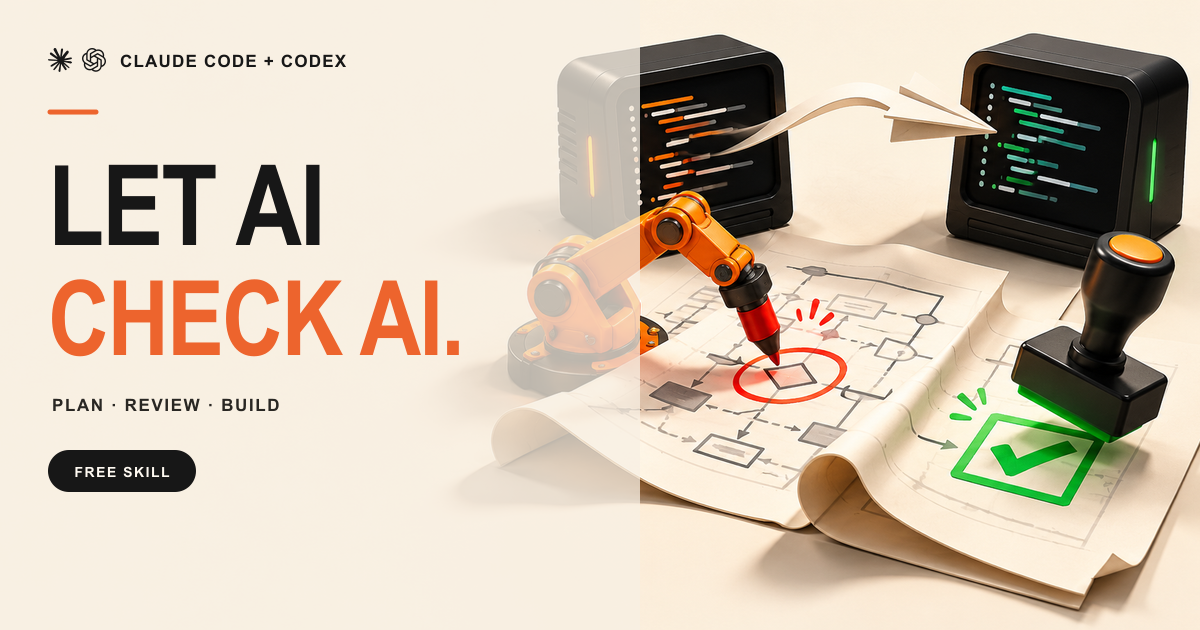
Claudex is a portable skill pack for passing one coding task between two AI coding agents. One agent writes the plan, another reviews it, the implementation happens after the plan is settled, and a second review checks the diff.
The idea is straightforward: give one agent the first draft, then let another agent look for missed assumptions before you rely on it. You carry the plan and review notes between tools. The package gives the agents a repeatable process and a handoff template.
Quick start
Download and unzip → copy the setup prompt below → let Claude Code or Codex install the skill once → invoke it → pass the plan and review notes to the other agent.
The ZIP includes the skill, a handoff template, a short install guide, and a license. You move the review packets between tools yourself. There is no API setup or automatic connection.
Key takeaways
- The download works in Claude Code and Codex because both support skills built around a
SKILL.mdfile. - Each product has its own install folder. Copy the skill into the product you want to use.
- The second agent does not start by itself. You pass it the plan or diff review request.
- A same-agent self-review can help, but it is not independent review.
Download the Claudex skill pack
// Build this with your AI agent
Build this with your AI agent
Want to try this? Copy the setup prompt into your coding agent with this guide's link.
Read this guide: https://codewithnishant.dev/free/claudex-cross-agent/ and the official Claude Code or Codex skill documentation linked below. Help me install the Claudex skill pack I downloaded. First ask whether I want Claude Code or Codex if I have not said. Inspect the project instructions and check whether the target skill folder already exists. Install only the cross-agent-review-loop folder into the correct project-local skill directory: .claude/skills/cross-agent-review-loop/ for Claude Code or .agents/skills/cross-agent-review-loop/ for Codex. Do not overwrite an existing folder. If the ZIP is not available in this project, tell me where to extract it and wait. Do not install software, call another model, connect an API, or change my code. When finished, show the exact SKILL.md path and how to invoke the skill in this product. Ask before any unrelated edit, paid action, or publication.
01. What Claudex does
A repeatable handoff, not a hidden integration
The reel's sequence is Claude writes a plan, Codex audits it, Codex builds, and Claude audits the implementation. The downloadable pack turns that idea into steps either coding agent can follow.
Claude Code and Codex each support skills with a SKILL.md file. A skill supplies reusable instructions to the agent where it is installed. Installing one in Claude Code does not install it in Codex, and neither product automatically sends work to the other. Anthropic's skills overview and OpenAI's Codex skills guide document those formats and locations.
So the useful part of Claudex is the handoff: a plan that another agent can understand, an evidence-based review, and a second check after the code changes.
02. Get the skill
One ZIP, with a review template
The download contains the skill instructions, a reviewer handoff template, a short install guide, and the license. Open the ZIP before installing it. The skill itself is plain Markdown and does not run a script or request an API key.
Download Claudex skill pack · Read SKILL.md · Read the install guide
03. The four handoffs
Move the plan and evidence, not vague summaries
- Plan: the first agent reads the project rules and current changes, then writes a short plan without editing files.
- Review the plan: pass the plan to the second agent. Ask it to look for missed requirements, risks, and unsupported assumptions. It reports findings without editing.
- Build: after the plan is settled and the user has authorized the edits, the chosen agent implements it and runs the project checks.
- Review the diff: give the second agent the plan, file list, diff summary, and check results. It reports bugs or gaps. The implementing agent fixes agreed findings and reruns the checks.
The attached references/handoff-template.md keeps the reviewer request self-contained. It also tells the reviewer to say when it cannot inspect the actual project.
04. Install in Claude Code or Codex
The folders differ by product
| Where you use it | Project-local folder | Personal folder | Invoke |
|---|---|---|---|
| Claude Code | .claude/skills/cross-agent-review-loop/ | ~/.claude/skills/cross-agent-review-loop/ | /cross-agent-review-loop |
| Codex | .agents/skills/cross-agent-review-loop/ | ~/.agents/skills/cross-agent-review-loop/ | $cross-agent-review-loop |
Copy the whole skill folder, not only the manifest. Keep the references folder beside SKILL.md. The table uses the install locations documented by Anthropic and OpenAI. If you use another agent, check its current skill setup before copying it.
05. Try it on a small task
First confirm both agents can read the same project
Start with a small change, such as adding one missing validation message to a local form. Invoke the skill, ask the first agent to prepare a plan, and pass that plan to the second agent with the included reviewer request. If both tools use the same local project, ask the reviewer to inspect the real files. If not, give it only the files or excerpts you are allowed to share.
After the plan review, use the implementation agent to make the approved change. Then pass the diff summary and checks to the reviewer. Keep the reviewers read-only and decide which findings to act on yourself.
06. What it can and cannot do
Be clear about where the human handoff sits
- It can: help either agent produce a structured plan, ask for an independent review, and keep the review evidence attached to the decision.
- It cannot: launch Claude from Codex, launch Codex from Claude, share files between separate workspaces, or guarantee that a review catches every issue.
- It needs: a second agent for an independent opinion. One agent can do a self-review, but it is not the same as a second model checking the work.
- It should not: send secrets or private source code to another product without your approval. Check your project and company rules first.
A skill gives an agent a procedure. It does not grant missing tools or permissions. That boundary is part of the workflow, not a setup bug.
07. FAQ
Answers before you install
Does Claudex connect Claude and Codex automatically?
No. You pass the plan or review packet to the second agent. The skill does not call an API or connect the products.
Can I install this skill in Claude Code or Codex?
Yes. The skill uses the shared SKILL.md format, but each product reads its own install folder. Install it separately in each product where you want it available.
Do I need a second AI agent?
For an independent review, yes. You can ask one agent to review its own work, but label that as a self-review.
Does the skill need an API key or extra software?
No. It is Markdown instructions and a handoff template. It uses whatever tools and account access your coding agent already has.
08. Sources and notes
Product setup checked 14 October 2026
- Anthropic: Agent Skills overview, for Claude Code skill format, install locations, and security notes.
- OpenAI: Build skills for Codex, for Codex skill structure, install locations, and invocation.
- Agent Skills specification, for the portable
SKILL.mdformat.
The workflow sequence comes from my reel. The skill pack is my original implementation of that sequence. It has not been run in a reader's Claude Code or Codex setup, so check that your agent recognizes it after installation.
Ready to try it? Download the pack, install it in one coding agent, and ask that agent to prepare the first review handoff.