Your coding agent can write a lot of code. On its own, it works from what it already knows and the files in your folder. It does not see your database. It does not read your deploy logs. It guesses at the docs for the version of the library you use.
MCP is how you give it eyes and hands. (Why access matters more than capability: the real problem with AI agents was never capability.) MCP, the Model Context Protocol, is an open standard that lets AI apps connect to external tools, data sources and services. An MCP server is one of those connections. With the right ones, your agent stops only replying and starts doing.
MCP Market, a directory of servers, listed 48,859 of them on 9 October 2026. You do not need that many. You need a few you have checked. This guide gives you six good ones, the setup for Claude Code, Codex and Cursor, and a short safety check to run before you connect anything.
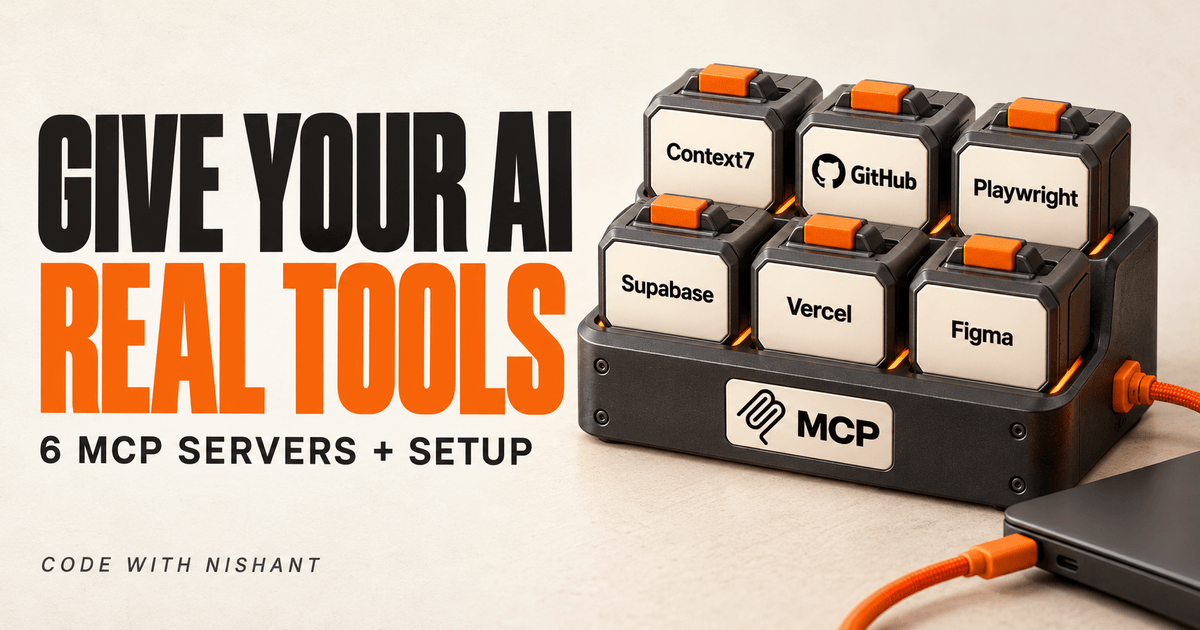
The six servers: Context7 (current docs), GitHub (repos and pull requests, read-only), Playwright (a real browser), Supabase (your database), Vercel (deploys and logs) and Figma (design to code). Start with the first three.
Your AI agent is only as capable as the tools it has access to.
// Build this with your AI agent
Build this with your AI agent
Want to try this? Copy the setup prompt into your coding agent with this guide's link.
Read this guide: https://codewithnishant.dev/free/best-mcp-servers-vibe-coders/ and the official docs it links to. Help me add Context7, the GitHub MCP server in read-only mode and Playwright MCP to the coding agent I am using right now (Claude Code, Codex or Cursor). First check my environment: Node 18 or newer, which agent I use, and what MCP servers I already have. Use the install steps for my agent from the guide's official sources, keep my existing config and unrelated work untouched, and check each server's owner and repository before installing it, as the guide explains. Do not ask me to paste secrets into the chat: tell me where to create the Context7 key and the GitHub token, and let me set them myself. When done, test each server with one small prompt, show me the results, and tell me anything that is still incomplete. Ask before paying for anything or publishing anything.
01. What an MCP server is, and where to find one
A directory, not a guarantee
An MCP server gives your AI agent one new ability, like reading docs, opening a browser or querying a database. Your agent is the client. New to the term? What is an AI agent? Each tool you plug in is a server. Without servers, the agent talks. With them, it acts.
MCP Market is a directory of these servers. Its header showed 48,859 servers on 9 October 2026. Four homepage sections list servers: Official MCP Servers, Featured, Top and Latest. MCP Clients lists apps that connect to servers, such as Zed and Cline. Top Agent Skills is a different thing from servers, so skip it for now. An FAQ closes the page.
Here is what the site does not say. It does not say whether it is free, official, verified or safe. It does not say who runs it or who owns it. The homepage does not define "Official" or "Featured" either. Treat those labels as the site's labels, not as a trust rating.
The workflow is short:
- Search the tool by name at mcpmarket.com.
- Read the listing's setup instructions and open its GitHub repository.
- Connect it to Claude Code, Codex or Cursor with the commands in this guide.
Check who made the server before step 3. Section 10 shows how.
A directory tells you a server exists. You decide whether to trust it.
02. Before you start
Node, your agent and a short list
You need Node.js 18 or newer for the servers that start with npx. Playwright's README sets that floor. The hosted servers (GitHub, Supabase, Vercel and Figma) do not need Node. Check your version:
node -vIf you see "command not found", install Node from nodejs.org.
Next, know where your agent keeps its server list. You will change it with a command or by hand.
| Agent | How you add a server | Where it is stored |
|---|---|---|
| Claude Code | claude mcp add | ~/.claude.json for local and user scope, .mcp.json in the project root for project scope |
| Codex | codex mcp add | ~/.codex/config.toml |
| Cursor | Edit a JSON file, or use Settings, then MCP | .cursor/mcp.json for one project, ~/.cursor/mcp.json for all projects |
In Claude Code, local is the default scope: the server loads in the current project only. Project scope writes a .mcp.json file you can share through git, and Claude Code asks for your approval before using servers from that file in interactive sessions. User scope loads the server in all your projects. Pick one with --scope local, --scope project or --scope user.
In Cursor, if the JSON file already exists, add the new server inside the existing mcpServers block. Do not paste a second one.
Start with two or three servers, not all six. Every server you connect adds its tool descriptions to your agent's context. Playwright's README makes a related point: it says CLI invocations are more token-efficient because they avoid loading large tool schemas. Add a server when a task needs it. Remove the ones you stop using.
Here are the six, in the order I would install them. The first three are what the setup prompt above installs. The last three connect to accounts with real data and real deploys, so wait until a task needs them.
| Server | What it lets your AI do | Sign-in |
|---|---|---|
| Context7 | Pull current, version-specific docs into your prompt | Free API key (recommended) |
| GitHub | Read repos, issues, pull requests and Actions runs | Personal access token |
| Playwright | Open a real browser and test your app | None |
| Supabase | Look at tables, query data, search docs | Browser login (OAuth) |
| Vercel | Read deployments and logs | Browser login (OAuth) |
| Figma | Read a design and build from it | Browser login (OAuth) |
Three servers you understand beat six you installed in one sitting.
03. Context7: current docs in your prompt
So your agent stops guessing old APIs
Owner: upstash · Repo: github.com/upstash/context7
62.8k stars · MIT · last commit 9 Oct 2026 · checked 9 Oct 2026
What it lets the AI do. It pulls up-to-date, version-specific docs and code examples into your prompt. It has two tools, resolve-library-id and query-docs. Add "use context7" to a prompt, or name a library id such as /supabase/supabase.
What it needs. A free API key is recommended for higher rate limits. Create one at context7.com/dashboard. The local npx route needs Node.js.
The easiest route is one command, npx ctx7 setup. It signs you in with OAuth, creates a key and installs Context7 for your agent. Add --claude or --cursor to pick the agent, and choose CLI plus Skills or MCP mode when asked. Run npx ctx7 remove later to undo it. If you want to add it by hand, use the commands below.
# Claude Code
claude mcp add --scope user --header "Authorization: Bearer YOUR_API_KEY" --transport http context7 https://mcp.context7.com/mcp
Prefer a local process? Claude Code also takes claude mcp add --scope user context7 -- npx -y @upstash/context7-mcp --api-key YOUR_API_KEY.
# Codex
codex mcp add context7 -- npx -y @upstash/context7-mcp --api-key YOUR_API_KEY
We ran that Codex syntax on codex-cli 0.159.2 in an isolated config, and it wrote the entry correctly.
Cursor, in ~/.cursor/mcp.json (all projects) or .cursor/mcp.json (one project)
{
  "mcpServers": {
    "context7": {
      "url": "https://mcp.context7.com/mcp",
      "headers": {
        "Authorization": "Bearer YOUR_API_KEY"
      }
    }
  }
}
Try this. "Add a Supabase sign-in page to my app. use context7"
Watch out. The repo holds only the MCP server's source. Context7's README says the API backend, parsing and crawling engines are private, and that the docs are community-contributed with no guarantee of accuracy or security. Read what it pulls in before you ship it.
04. GitHub: your repos, issues and pull requests
The official server, set to read-only
Owner: github (a Verified org) · Repo: github.com/github/github-mcp-server
33.5k stars · MIT · last commit 8 Oct 2026 · checked 9 Oct 2026
What it lets the AI do. Browse code, search files, read commits, manage issues and pull requests, monitor GitHub Actions runs, and view Dependabot and code-scanning findings.
What it needs. GitHub hosts the server at https://api.githubcopilot.com/mcp/. GitHub's docs say to add /readonly to the end of the URL to restrict the tools to read access, and every command below uses that read-only URL. You also need a personal access token. Cursor's guide says GitHub's server currently requires one there, and it asks for Cursor 0.48.0 or newer. GitHub's Codex guide says the bearer token option is required for token access.
Create the token yourself in GitHub under Settings, Developer settings, Personal access tokens. GitHub's docs recommend fine-grained tokens and let you limit one to chosen repositories. GitHub's MCP docs say to grant only the permissions you need. Start small, and if a tool fails, add one permission at a time. Keep tokens out of version control: use an environment variable, or a .env file that is listed in .gitignore.
# Claude Code
claude mcp add --transport http github https://api.githubcopilot.com/mcp/readonly --header "Authorization: Bearer YOUR_GITHUB_PAT"
# Codex
codex mcp add github --url https://api.githubcopilot.com/mcp/readonly --bearer-token-env-var GITHUB_PAT_TOKEN
export GITHUB_PAT_TOKEN=YOUR_GITHUB_PATCursor, in ~/.cursor/mcp.json (all projects) or .cursor/mcp.json (one project)
{
  "mcpServers": {
    "github": {
      "url": "https://api.githubcopilot.com/mcp/readonly",
      "headers": {
        "Authorization": "Bearer YOUR_GITHUB_PAT"
      }
    }
  }
}
Try this. "Use GitHub to read the last five commits and any failing Actions runs on my main branch, then tell me what broke."
Watch out. A token in a header is a secret sitting in a config file. Keep that file out of git, and remove /readonly only when you have decided you want the agent to write.
05. Playwright: a real browser for your agent
Let it test your app and tell you what breaks
Owner: microsoft (a Verified org) · Repo: github.com/microsoft/playwright-mcp
38k stars · Apache-2.0 · last commit 8 Oct 2026 · checked 9 Oct 2026
What it lets the AI do. It automates a browser through Playwright's accessibility tree, which is structured page data, so it needs no screenshots or vision model. We ran it locally on 9 October 2026 over stdio. It started and listed 25 tools by default.
What it needs. Node.js 18 or newer. No API key. It is free.
My earlier guide, 5 Best Claude MCPs to Set Up, already covers Playwright with Claude Code and Claude Desktop. This section only adds the Codex and Cursor routes and Microsoft's own caveats. To preview your app inside Claude Code, see Stop switching tabs.
# Claude Code
claude mcp add playwright npx @playwright/mcp@latest
# Codex
codex mcp add playwright npx "@playwright/mcp@latest"We ran that Codex syntax too. It wrote command = "npx" and args = ["@playwright/mcp@latest"].
In Cursor, go to Settings, then MCP, then Add new MCP Server. Pick the command type and enter npx @playwright/mcp@latest. The README also has a one-click button. The standard JSON is below.
Cursor, in ~/.cursor/mcp.json (all projects) or .cursor/mcp.json (one project)
{
  "mcpServers": {
    "playwright": {
      "command": "npx",
      "args": ["@playwright/mcp@latest"]
    }
  }
}
Try this. "Use Playwright to open my app at localhost:3000, sign up with a test email, and tell me what breaks."
Watch out. Two lines from Microsoft's README. First: "Playwright MCP is not a security boundary." Second, for coding agents, Microsoft says the Playwright CLI with Skills is more token-efficient than MCP because it avoids loading large tool schemas. MCP stays useful for exploratory automation and self-healing tests.
06. Supabase: your tables and docs
Official, hosted, and scoped by the URL
Owner: supabase (a Verified org) · Repo: github.com/supabase/mcp
2.9k stars · Apache-2.0 · last commit 6 Oct 2026 · checked 9 Oct 2026
What it lets the AI do. Manage tables, fetch config, query data and search docs, through Supabase's hosted server at https://mcp.supabase.com/mcp.
What it needs. A Supabase account. You log in through your browser with OAuth, so there is no key to paste.
Supabase documents two options that go in the URL. read_only=true makes queries run as a read-only Postgres user. project_ref=YOUR_PROJECT_REF scopes the server to one project and disables account-level tools. The example below uses both. If you want the same limits in Codex or Cursor, add them to the URL there too.
# Claude Code
claude mcp add --scope project --transport http supabase "https://mcp.supabase.com/mcp?project_ref=YOUR_PROJECT_REF&read_only=true"
Then start Claude Code, type /mcp, pick supabase and choose Authenticate.
# Codex
codex mcp add supabase --url "https://mcp.supabase.com/mcp"
codex mcp login supabase
Check it with /mcp inside Codex.
Cursor, in .cursor/mcp.json (or ~/.cursor/mcp.json for all projects)
{
  "mcpServers": {
    "supabase": {
      "url": "https://mcp.supabase.com/mcp"
    }
  }
}
Try this. "List my tables and tell me which ones have no row level security."
Watch out. Supabase's own guide says prompt injection is the primary attack vector unique to LLMs. Its advice: keep manual approval of tool calls on, use project scoping and read-only, connect to production only when the task needs production evidence, and review every output. The server runs with your developer permissions, so never give it to customers. Test changes on a branch or a dev project first.
07. Vercel: deploys and logs
Ask why the build failed instead of hunting through a dashboard
Owner: Vercel · Source: vercel.com/docs/agent-resources/vercel-mcp
Hosted server, no GitHub repo to inspect · docs page last updated 15 Sep 2026 · checked 9 Oct 2026
What it lets the AI do. Vercel's docs list tools to search docs, manage teams, projects and deployments, read deployment logs and query Web Analytics. The server is at https://mcp.vercel.com.
What it needs. A Vercel account and a browser login (OAuth). Vercel says it is available on all plans. Only AI clients that Vercel has reviewed can connect, and Claude Code, Codex CLI and Cursor are on its list.
# Claude Code
claude mcp add --transport http vercel https://mcp.vercel.com
Then start Claude Code and type /mcp to authenticate.
# Codex
codex mcp add vercel --url https://mcp.vercel.com
Codex opens your browser so you can authorize the connection.
Cursor, in .cursor/mcp.json (project) or the global ~/.cursor/mcp.json
{
  "mcpServers": {
    "vercel": {
      "url": "https://mcp.vercel.com"
    }
  }
}
Cursor then shows "Needs login". Click it and authorize.
One command can set it up for every agent it detects:
# All detected agents (add -g for global)
npx add-mcp https://mcp.vercel.com
Try this. "Why did my last deployment fail? Read the build logs and tell me."
Watch out. Vercel's own security notes: confirm the endpoint is exactly https://mcp.vercel.com. Connecting gives the AI the same access as your Vercel user. Keep human confirmation on and watch for prompt injection.
08. Figma: design to code
Powerful, with a hard limit on the free plan
Owner: Figma · Source: developers.figma.com/docs/figma-mcp-server
Hosted server, no GitHub repo to inspect · limits page read 9 Oct 2026
What it lets the AI do. It reads a Figma design so your agent can build from it. The remote server is at https://mcp.figma.com/mcp. Only clients listed in the Figma MCP Catalog can connect, and Figma's docs name Cursor and Claude Code as examples.
What it needs. A Figma account and a browser login (OAuth).
The limit, plainly. On the Starter plan, Figma's free plan, you get 20 tool calls per month. View and Collab seats on any plan also get 20 a month. Dev or Full seats on paid plans get a daily allowance instead: 200 a day on Professional and Organization, 600 on Enterprise, with per-minute caps too. Some write tools are exempt, and Figma reserves the right to change the limits. On a free Figma plan, this is a taste, not a workflow. Figma's limits page has the full table.
# Claude Code (add --scope user for all projects)
claude mcp add --transport http figma https://mcp.figma.com/mcp
Then type /mcp, pick figma and choose Authenticate. Figma also lists a plugin route: claude plugin install figma@claude-plugins-official.
# Codex
codex mcp add figma --url https://mcp.figma.com/mcp
Authenticate when prompted.
Cursor, run this in agent chat
/add-plugin figmaFigma's install page also has a deep link. The server URL is the same, https://mcp.figma.com/mcp.
Try this. "Build the component in this Figma frame link in my project's existing style."
Watch out. Check which plan and seat you have before you plan a build around this server. On a free plan, the cap is 20 calls a month.
09. Also worth knowing
Two more, without a full entry
Chrome DevTools MCP
github.com/ChromeDevTools/chrome-devtools-mcp is Google's server for console errors, network requests and performance traces. It has 53.2k stars, an Apache-2.0 license and a last commit on 9 Oct 2026 (checked 9 Oct 2026). Playwright drives and tests flows. This one debugs what the browser sees.
# Claude Code
claude mcp add chrome-devtools --scope user npx chrome-devtools-mcp@latest
# Codex
codex mcp add chrome-devtools -- npx chrome-devtools-mcp@latestRead its README before you connect it. It says the server exposes browser contents to the MCP client. It collects usage statistics by default, and you can opt out with --no-usage-statistics. Performance tools may send trace URLs to the Chrome UX Report API, and --no-performance-crux turns that off.
Firecrawl
github.com/firecrawl/firecrawl-mcp-server reads live web pages as clean text. It has 7.6k stars, an MIT license and a last commit on 9 Oct 2026 (checked 9 Oct 2026). Its README says a hosted free tier needs no key for scrape, search and parse, rate-limited. Other tools need a key. My earlier guide, 5 Best Claude MCPs to Set Up, has the setup.
10. Check a server before you install it
A calm routine, not a scare
A listing tells you a server exists. It does not tell you who made it. Connecting a server gives your agent a new tool, and sometimes a token too. So spend a few minutes on the owner first.
Same name, different owners
Try it. Search playwright on MCP Market. On 9 October 2026 the first page showed 21 listings and a Load More button. The listings carry the same Playwright name. They come from different GitHub owners, among them microsoft, executeautomation, qabyai and Automata-Labs-team. Microsoft's listing has no official badge. Only the owner name tells you which one is Microsoft's.
That is not a warning about the others. I am not saying any of them is bad. I am saying the name alone cannot tell you whose code you are about to run.
The seven-point check
- Is the owner who you think it is? Check the org name, and whether the vendor's own docs link to the repo.
- Look at stars, forks and the last commit date. You want a live repo, not a copy.
- Does the npm or PyPI package point to that same repo?
- What does it ask for? API keys, token scopes, OAuth permissions, network access.
- Start read-only, with the least privilege.
- Keep the list short. Remove what you do not use.
- Keep manual approval on for tool calls.
A Verified badge on a GitHub org is a useful signal, not a requirement. Upstash, which makes Context7, has none. Its README links to context7.com, and the npm package @upstash/context7-mcp lists the repository upstash/context7 with @upstash.com maintainers. Docs, package and repo all point at each other. That is the check that counts.
The npm check
Point 3 takes one command:
npm view @playwright/mcp repository.url maintainersIt shows that the package points to github.com/microsoft/playwright-mcp and is maintained by Microsoft accounts. We ran the same check for the Context7, Supabase and Chrome DevTools packages. All four point to the repos linked in this guide.
Why bother
In September 2025, The Register reported on postmark-mcp, a fake npm package. It copied Postmark's official MCP code from GitHub. Version 1.0.16 added a line that silently blind-copied every outgoing email to an address the attacker controlled. Postmark said on 25 September that it had nothing to do with the package and knew of one customer who used it. Koi Security reported about 1,500 downloads in a week. The lesson is small: a familiar name on a registry is not proof of the owner. This happened on npm, and I am not tying it to any directory.
UpGuard's 12 May 2026 post describes an analysis of about 18,000 Claude Code configuration files from public GitHub repositories. It found developers already installing MCP server names that are mistyped or nearly identical to real ones. The research looked at Smithery.ai, MCP.so and the official GitHub MCP Registry. The post is not about MCP Market.
What Claude Code tells you
Claude Code's MCP docs say it plainly: "Verify you trust each server before connecting it. Servers that fetch external content can expose you to prompt injection risk." They also say Claude Code asks for approval before using project-scoped servers from .mcp.json in interactive sessions.
None of this is a reason to skip MCP. It is a short routine: check the owner, check the repo, grant the least access, and keep a human in the loop. For a habit that keeps you in charge of AI-written code, see 3 rules to stop AI making you a worse developer.
11. Common problems
Quick fixes
First, see what is connected. In Claude Code, run claude mcp list or type /mcp. It shows Connected, Needs authentication or Failed to connect. In Codex, run codex mcp list. In Cursor, open Settings, then MCP.
| What you see | What to do |
|---|---|
| "Needs authentication" in Claude Code | Start Claude Code, run /mcp, pick the server, choose Authenticate and finish the login in your browser. |
| Supabase will not log in from Codex | Run codex mcp login supabase. Vercel opens your browser. Figma asks you to authenticate. |
| "Needs login" in Cursor | Click it and finish the login. |
| "command not found" for node or npx | Install Node.js 18 or newer from nodejs.org, then reopen your terminal. |
| A Codex server times out at startup | Raise startup_timeout_ms in ~/.codex/config.toml. Context7's docs suggest 40_000. On Windows, Chrome DevTools MCP's docs show wrapping npx in cmd /c plus a longer timeout, so read its client configurations guide. |
| "Failed to connect" | It means Claude Code could not reach that server. Check the URL, your token and that the command runs on its own. |
| The agent ignores the server | Name it in the prompt: "Use Playwright to..." or "use context7". |
The last row comes from what builders report, not from a measured rate. I have no number for how often an agent skips a server. Treat naming the server as a habit.
When something breaks, remove the last server you added and test again. One change at a time tells you which one is the problem.
12. FAQ
What is an MCP server?
An MCP server is a program or hosted service that connects an AI app to an external tool, data source or service through the open Model Context Protocol. It lets an agent such as Claude Code, Codex or Cursor act on that tool instead of only replying with text. Examples in this guide are Context7 for docs, GitHub for repositories and Playwright for a browser.
Which MCP servers should a beginner install first?
Start with Context7, the GitHub server in read-only mode and Playwright. Between them they cover current docs, your repositories and a real browser, and none of them touches a production database. Add Supabase, Vercel or Figma when a task needs them.
Do I need API keys for MCP servers?
It depends on the server. Playwright needs no key. Context7 recommends a free API key for higher rate limits, GitHub needs a personal access token that you create yourself, and Supabase, Vercel and Figma sign you in through your browser with OAuth. Never paste a key into the chat with your agent.
Is MCP Market safe or free to use?
MCP Market's site does not say whether it is free, official, verified or safe, and it does not say who runs it. Treat it as a directory for finding names. Check each server's GitHub owner, repository and permissions yourself before you connect it.
How many MCP servers should I run at once?
Two or three to start. Every server you connect adds its tool descriptions to your agent's context, so a long list costs you before the agent does any work. Add one when a task needs it and remove the ones you stop using.
How do I add an MCP server to Claude Code, Codex or Cursor?
In Claude Code, run claude mcp add with the server name and its command or URL. In Codex, run codex mcp add, or edit config.toml. In Cursor, add an entry to .cursor/mcp.json, or use Settings, then MCP. Each server section above has the exact command for all three.
13. Sources and what we tested
Checked 9 October 2026
Stars, forks, versions and last-commit dates move. Recheck them before you rely on them. These are the primary sources behind this guide.
- MCP Market: the server count, the homepage sections, the footer and the Playwright search.
- Claude Code MCP docs: scopes,
claude mcp add, server status, the trust warning. - Context7: README and install steps for each client.
- GitHub MCP Server: README, remote server docs, and the install guides for Claude, Codex and Cursor.
- GitHub docs on personal access tokens.
- Playwright: MCP README and Playwright CLI.
- Supabase: MCP docs and the repo.
- Vercel MCP docs.
- Figma: MCP server docs, remote server setup and rate limits.
- Chrome DevTools MCP: README and its client configurations guide.
- Firecrawl MCP server README.
- The Register on postmark-mcp (29 September 2025) and UpGuard on lookalike MCP servers (12 May 2026).
What we ran, and what we did not
We ran the codex mcp add syntax for the two npx servers, Context7 and Playwright, on codex-cli 0.159.2 in an isolated config. We also started the Playwright MCP server locally over stdio on 9 October 2026. It started and listed 25 tools by default.
We did not run the Claude Code commands. The claude binary is not installed on the machine that built this guide, so those commands come from each server's own docs and from Claude Code's MCP docs. We also did not walk through the OAuth flows for Supabase, Vercel and Figma, or the GitHub token flow, with a real account.
Your agent is only as capable as its tools, and only as safe as the tools you checked.
// Free newsletter
I send out guides like this every week
Real setups, real sources, no hype. Drop your email and I'll send you the next one.