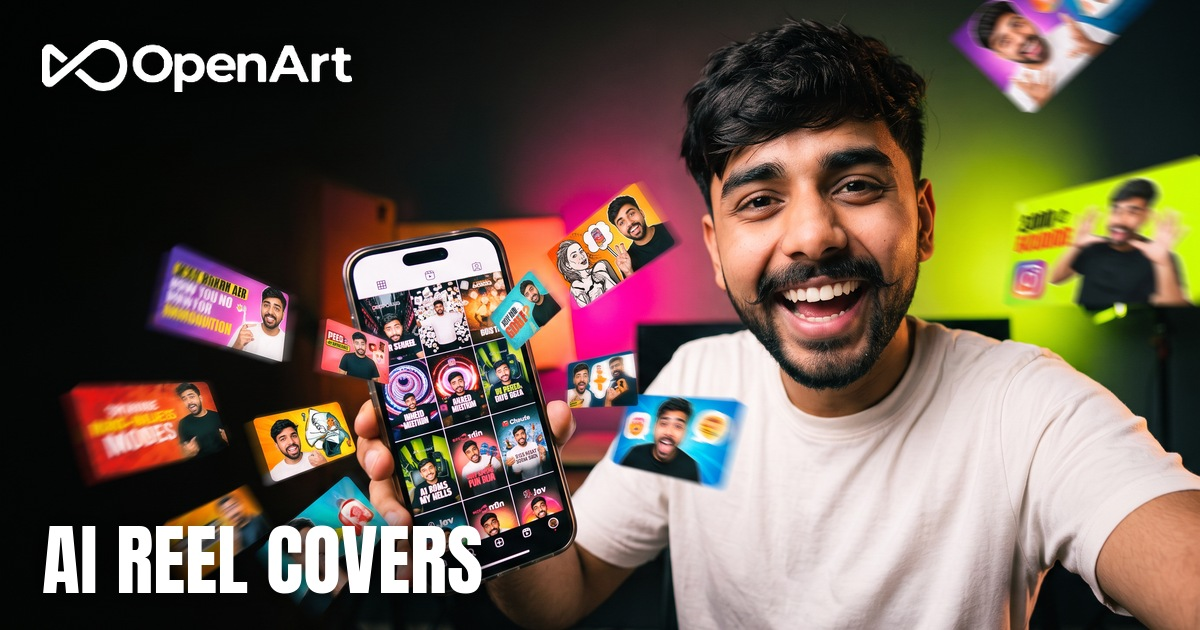
If every cover on your profile is the same talking-head pose, people stop seeing them. A different camera angle fixes that fast, and AI can shoot angles you would never get on a phone.
The hard part is keeping your real face. Here is what worked for me on 24 covers, including what failed.
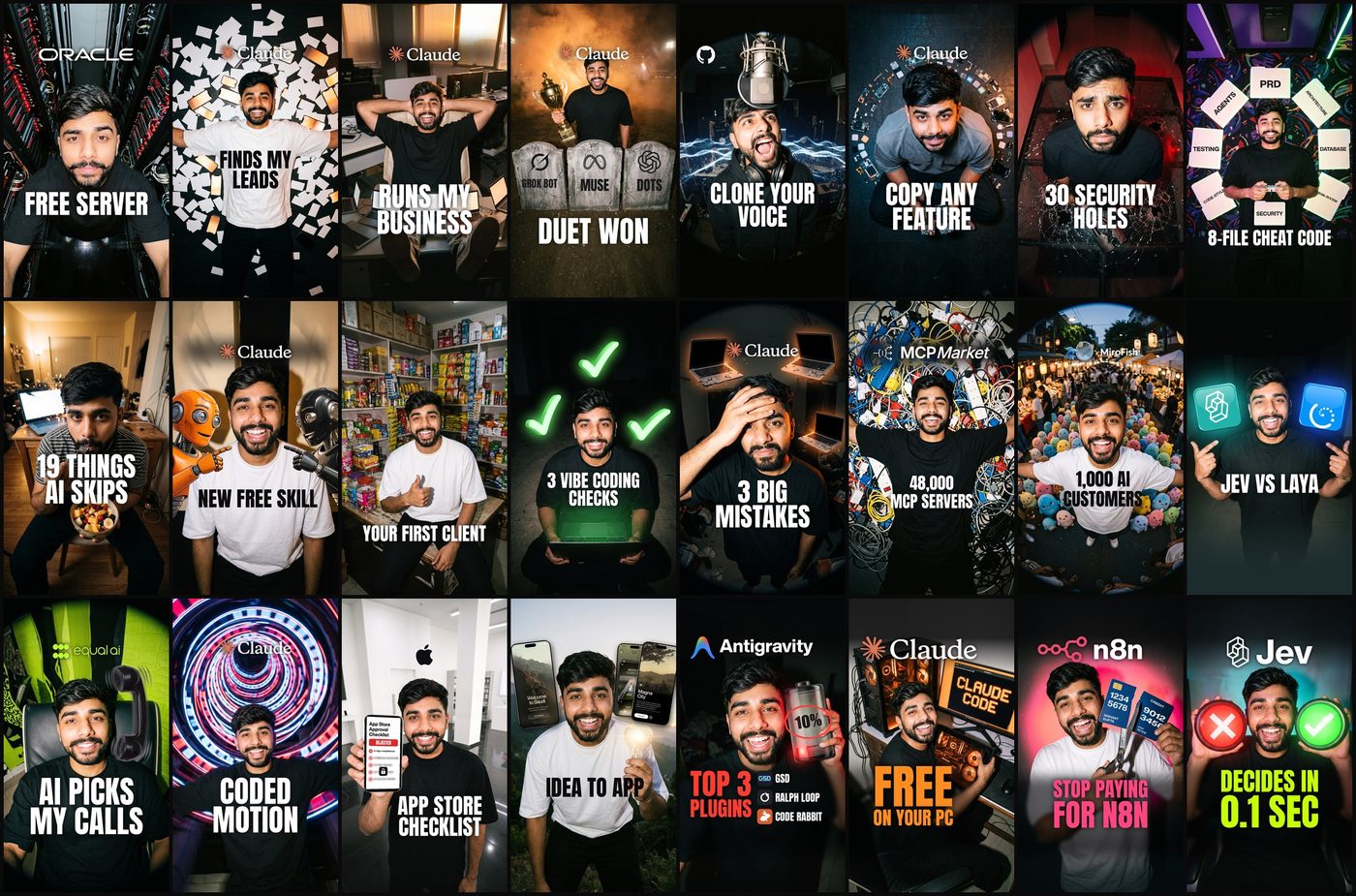
Same face. A new camera angle every time.
// Build this with your AI agent
Build this with your AI agent
Want to try this? Copy the setup prompt into your coding agent with this guide's link.
Read this guide: https://codewithnishant.dev/free/ai-reel-covers/ and use its prompt structure and layout rules. I will give you my reel topics and the path to my reference photos. For each reel, suggest one simple visual anyone would understand and 1 to 3 big cover words that show the result. Write one image prompt per reel in the guide's order: face lock, camera, action with a real prop, clothes, light, framing, then no extra text. I will generate the photos myself on OpenArt and save them in one folder. Then write me a small script that crops each photo to 1080 x 1920, adds the brand logo at the top, a dark fade behind the logo and the words, and the cover words at the bottom, keeping everything inside the 3:4 area the guide describes. Make one contact sheet so I can compare them all at once. Tell me anything you could not finish. Never upload my photos anywhere without asking.
01. Pick the model on your own face
Test before you make a whole set
Run one prompt on two models with your own photos, and judge only by whether it looks like you. In my test on OpenArt, Nano Banana 2.1 won. All 5 of its test photos were good, and the GPT Image 2.5 versions were not. That is one test on one face, so yours may differ.
Trust your own eye here, not the AI's and not a friend's. You know your face best.
02. Set your references
Your best faces, plus one real photo
Use image-to-image mode and give the model two kinds of reference:
- One real photo of you, clear and well lit.
- Your best generated faces so far. After the first round, pick the 2 or 3 that look most like you and feed those back in.
Faces match best when you look straight at the camera, smiling or laughing, with a mild wide angle. An extreme fisheye close to the lens with a tilted head stops looking like you, so keep those rare.
03. The prompt, line by line
The same order every time
| Part | What it does |
|---|---|
| Face lock | Tells it to copy your face from the references and not beautify it |
| Camera | The angle: wide angle from above, aerial, or looking up at the lens |
| Action and prop | One simple thing that shows what the reel is about |
| Clothes | Plain tee or hoodie, so nothing fights the face |
| Light | Hard flash, film grain and one strong colour |
| Framing | Head in the upper middle, lower third darker for your words |
| Text ban | No extra text, logos or watermark, so you add them cleanly later |
04. Three real prompts
Copy, then swap the face details and the prop
Wide angle, one big prop
Same exact real person as in all the reference photos. Copy his exact face, eyes, nose, eyebrows, beard, moustache, skin tone and short side-swept black hair from the references. Do not beautify or change his face. His face looks straight at the camera with no distortion. Wide-angle photo from slightly above. He laughs at the camera, holding up beside his head one huge glossy battery that is almost empty, with one short glowing red charge bar at the bottom and a bold label on it that reads exactly: 10%. Oversized plain black tee. Dark background with red glow from the battery, hard flash, film grain. His head sits in the upper-middle of the vertical frame, face large and sharp. Lower third of the frame darker and calmer. The only text in the image is 10% on the battery. No other text, no logos, no watermark.Fisheye, looking up at the lens
Same exact real person as the reference photos: keep his face structure, skin tone, eyes, nose, eyebrows and short side-swept textured black hair identical, dense neat full beard and a normal neat moustache without curled tips. Do not beautify or change his face. Ultra wide fisheye lens from above, camera close to his face. He looks up into the lens with a confident smirk and one eyebrow raised, pointing to one side with his thumb. Far below him a dark road splits into two glowing blue paths going left and right. Oversized black hoodie. Cool blue night light, hard flash, film grain. His head sits in the upper-middle of the vertical frame, face large and sharp. Lower third of the frame darker and calmer. No text, no letters, no logos, no watermark.Fix one thing without losing the photo
When a photo is nearly right, do not start again. Send it back as the reference and change one thing only.
Edit this photo. Keep the person, his face, expression, pose, clothes, camera angle, lighting and the whole composition exactly the same. Only add one thing: a very big real neon tube sign leaning on his chest and stomach, as wide as about 85 percent of the frame, in the lower-middle of the frame just below his beard, glowing hot red-white and throwing red light on his black t-shirt and arms. The letters are thick and huge, easy to read from far away. The sign reads exactly, in lowercase: free server. Spelled f-r-e-e s-e-r-v-e-r. No other text anywhere, no logos, no watermark.Spelling the word out letter by letter helps, and you still need to check every generated word yourself.
05. Add the logo and words
After the photo, not inside it
Add these in code or any design tool, on a 1080 x 1920 canvas:
- The brand's real logo at the top, big, around 600 to 800 px wide, with a soft dark fade behind it.
- Your face in the middle.
- 1 to 3 huge words at the bottom in a heavy font like Anton, with no boxes behind them.
- Keep everything important between y 240 and y 1680, so it survives the 3:4 profile grid.
- End the words by about y 1500, or the view count sits on top of them.
Then look at every cover in one contact sheet with the view count on it. Problems show up there that you never see one at a time. If you also work on titles, this guide on why a weak title hides a great video uses the same idea.
06. What makes people click
What I learned reviewing all 24
- Show the real thing. Never a blank phone or an empty prop. Blur the key detail so people want to see it.
- Pick a visual anyone gets. A red X and a green tick beat coins and holograms, which were too technical.
- Words show the result. What the tool does, why it helps, a real number. A clever puzzle line just gets skipped.
- Always show the brand. The name people already know is often the reason they stop.
- One colour for the words. Take it from the photo's main accent, so the text feels part of the picture.
Need more AI tools to feed your content? Here are 9 free Google AI tools.
FAQ
Can AI keep my real face on every cover?
Mostly, if you give it good references. In my test Nano Banana 2.1 on OpenArt matched my face best. Use your best generated faces plus one real photo, have the person look straight at the camera, and always check the result yourself, because it still gets faces wrong sometimes.
Which AI model is best for reel covers?
For my face, Nano Banana 2.1 beat GPT Image 2.5. That is one person's test on one face, so run the same prompt on both models with your own photos before you commit to a whole set.
How long does it take to make 24 reel covers?
About 15 minutes of making time is my estimate once your prompts, references and layout are ready. It is not a stopwatch test. My first full set took 2 days because I was testing models and going back and forth on the style.
Should the text be part of the AI image?
Keep the big words out of the image and add them after. It gives you clean spelling, the same font on every cover, and text you can move. The only words I let the model draw are on props, like 10% on a battery.
What I tested, and what I did not
I made 24 covers this way on 30 and 31 October 2026, and the prompts above are copied from that work. The model result is my own test on my own face. The 15 minutes is my estimate of the making time once everything is set up, not a timed test. I give no click or view numbers for these covers because it is too early to judge them.
Your covers are the first thing people judge. Change the camera angle, keep your face, and show the real thing.
// Free newsletter
I send out guides like this every week
Real setups, real sources, no hype. Drop your email and I'll send you the next one.