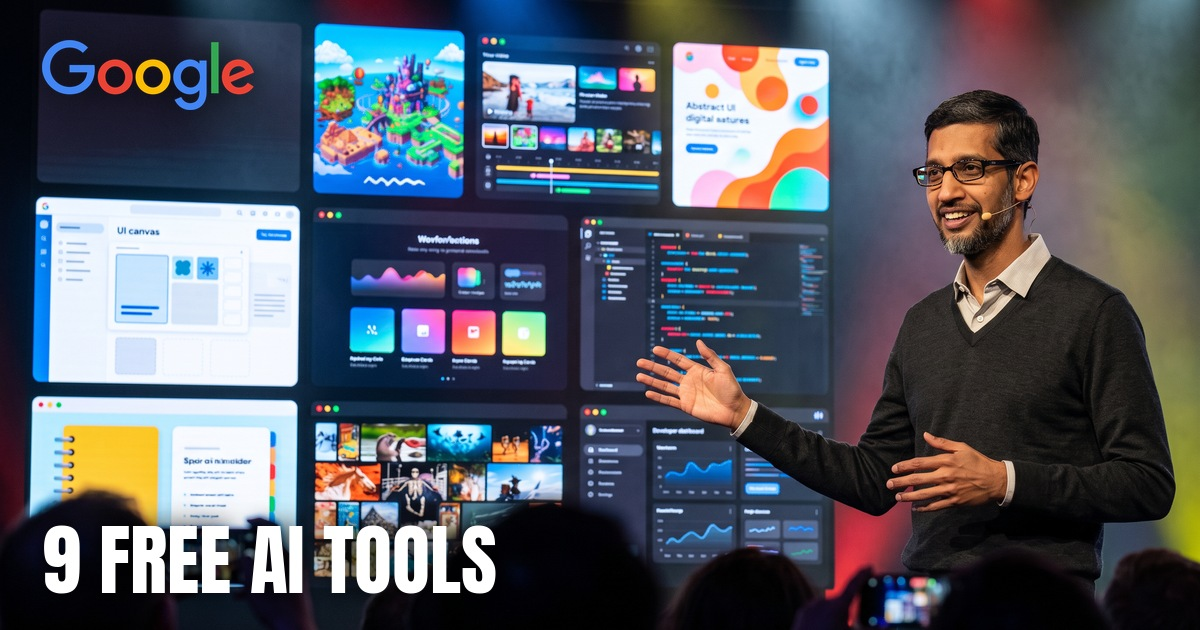
Most people use one Google AI tool: Gemini. Google has built a whole set around it, and almost nobody uses the rest.
This guide covers 9 of them, all made by Google, all usable from a normal Google account. Credit for every tool here goes to Google and the teams at Google Labs and Google DeepMind. My job is just to show you where they are and how to start.
Google is the final boss. Use it.
// Build this with your AI agent
Build this with your AI agent
Want to try this? Copy the setup prompt into your coding agent with this guide's link.
Read this guide: https://codewithnishant.dev/free/google-ai-tools/ and its companion https://codewithnishant.dev/free/google-ai-workflows/. Help me pick the 2 or 3 Google AI tools from it that fit my goal, which you should ask me about first (study, build an app, make content, market a business, or code). For each tool, walk me through the free start steps in the guide, one at a time, and wait for me to confirm each step. Do not create accounts or enter passwords for me; I sign in myself. Do not upload my private files anywhere without asking. At the end, give me a simple 7 day plan that uses those tools every day, and tell me what is free and what might need a paid plan. Ask before any paid service.
01. Which tool for which job
Pick by what you want to do
| You want to | Use (by Google) |
|---|---|
| Study faster from your own notes | Gemini Notebook |
| Build an app or website from a prompt | Google AI Studio |
| Design app screens without a designer | Stitch |
| Make AI videos and images | Flow |
| Make original music | Flow Music |
| Make on-brand posts for a business | Pomelli |
| Learn a new subject your way | Learn Your Way |
| Make a game with no code | Playground |
| Fix bugs and write tests on GitHub | Jules |
02. The 9 tools
What each does, how to start free
1. Gemini Notebook by Google
What it does: Upload your notes, PDFs, slides or YouTube links and chat with them. Every answer is grounded in your own sources, and it can turn them into audio overviews, slide decks, mind maps, quizzes and flashcards.
Best for: Students, researchers, anyone with a pile of reading.
Start free in 3 steps:
- Open notebook.google and sign in with your Google account.
- Create a notebook and add 3 to 5 sources (a PDF, your notes, a YouTube link).
- Ask one question you actually need answered, then generate an Audio Overview to listen to on the go.
Good to know: Google renamed NotebookLM to Gemini Notebook in July 2026. The free tier works for most study use. Some newer outputs, like Cinematic Video Overviews, are reported to be for paid Google AI plans only. Official site: notebook.google
2. Google AI Studio by Google
What it does: Google's free playground for its newest models. In Build mode you describe an app or website in plain words and it writes the code and shows you a live preview you can keep changing.
Best for: Builders, students and founders who want a working prototype today.
Start free in 3 steps:
- Open aistudio.google.com and sign in.
- Go to Build and describe one small app (for example, a habit tracker with a weekly chart).
- Keep asking for changes until it works, then download the code or publish it.
Good to know: Using AI Studio is free. Publishing an app can ask for a Google Cloud billing account; a developer forum post from India reports being asked for billing on publish, so check before you plan around free hosting. Free API usage may be reviewed by Google to improve its products. Official site: aistudio.google.com
3. Stitch by Google
What it does: Describe an app or paste a sketch or screenshot, and Stitch designs the screens for mobile or web. You can export to Figma or take the HTML and CSS, and pass the design on to AI Studio to build it.
Best for: Anyone who needs an app or website design without being a designer.
Start free in 3 steps:
- Open stitch.withgoogle.com and sign in.
- Pick App or Web and describe the screens in one or two sentences.
- Edit by chatting, then export to Figma or copy the code.
Good to know: Stitch is a Google Labs experiment and free to use right now. Labs tools can change, so export the designs you care about. Official site: stitch.withgoogle.com
4. Flow by Google
What it does: Google's AI creative studio for video and images. Describe a scene, generate clips, and stitch them into a story. Whisk, Google's image remix tool, moved into Flow in 2026.
Best for: Creators, marketers and anyone making short videos.
Start free in 3 steps:
- Open flow.google and sign in.
- Start a new project and describe your first shot in one sentence.
- Generate, keep the best clip, then extend it into the next scene.
Good to know: Flow runs on credits. Google AI plans include more credits; check the credits shown inside Flow before a big project. Official site: flow.google
5. Flow Music by Google
What it does: A music studio you chat with. Describe a song, a mood or a track for your video and it makes full-length music you can keep editing.
Best for: Creators who need original music for reels, videos and intros.
Start free in 3 steps:
- Open flowmusic.app and sign up.
- Pick a starting point, like music for a video, and describe the mood and length.
- Iterate on the track, then download it for your video.
Good to know: Google Flow Music graduated from Google Labs (it was ProducerAI). Check its plans page for current limits. Official site: flowmusic.app
6. Pomelli by Google
What it does: Give it your website and it learns your brand: colours, fonts, tone. Then it makes on-brand social posts and ad ideas you can edit and download.
Best for: Small businesses, freelancers and creators who post for a brand.
Start free in 3 steps:
- Open labs.google.com/pomelli and sign in.
- Paste your website link and let it build your brand profile.
- Pick a campaign idea, edit the posts and download them.
Good to know: Pomelli is a Google Labs experiment. It opened for us from India on 26 October 2026; reports about which countries have it differ, so if it does not load for you, it is not in your country yet. Google says data you upload may be reviewed to improve its AI. Official site: labs.google.com/pomelli
7. Learn Your Way by Google
What it does: Turns textbook content into a lesson made for you: immersive text, quizzes, audio and more, pitched at your level and interests.
Best for: Students and anyone learning a new subject.
Start free in 3 steps:
- Open learnyourway.withgoogle.com.
- Pick a subject from the library to try it, or join the waitlist to upload your own PDF.
- Try two formats (for example the text and the quiz) and keep the one that sticks.
Good to know: A Google Labs research experiment. Uploading your own PDF was waitlist-only when we checked. Official site: learnyourway.withgoogle.com
8. Playground by Google
What it does: Describe a game in plain words and Playground builds it in minutes. Then play it and share it. No code.
Best for: Anyone who wants to learn by making, kids and teachers included.
Start free in 3 steps:
- Open labs.google/playground and press start.
- Describe a simple game with one goal and one obstacle.
- Play it, ask for changes, then share the link.
Good to know: A Google Labs experiment. Free to try while it is in Labs. Official site: labs.google/playground
9. Jules by Google
What it does: An AI coding agent that works on your GitHub repository in the background: fixing bugs, writing tests, bumping versions. It shows you a plan and the changes before anything is merged.
Best for: Developers and vibe coders with a project on GitHub.
Start free in 3 steps:
- Open jules.google and connect your GitHub account.
- Pick a repository and give it one small, clear task.
- Review its plan and the diff, then approve.
Good to know: Jules has a free tier with daily task limits and higher limits on Google AI plans. Check the plans page. Official site: jules.google
03. On a free trial? Read this
From me to you
If you are on a free trial or a free tier right now, use every single day of it. Not one prompt a week. Every day.
- Learn: put this week's hardest chapter into Gemini Notebook and listen to it on the way.
- Build: make one tiny app in AI Studio, then make it a little better tomorrow.
- Ship: post what you made, even if it is rough.
Grind hard while it is free. You will make it. I believe in you. And when these tools start saving you hours or earning you money, upgrade happily, because by then the plan pays for itself.
Students in India: a free student plan for Google AI was reported in September 2026. Check Google's official student offer page for the current details before you sign up.
04. Tools Google retired in 2026
Why you should export your work
| Tool | What happened |
|---|---|
| Whisk | Its features moved into Flow in 2026 |
| Mixboard | The experiment ended |
| Opal | Workflows stop on 17 November 2026 as they move to skills in Gemini; files stay in your Google Drive |
Labs tools are experiments. Use them hard, but save anything you want to keep.
05. Best practices and workflows
Read this next
Knowing the tools is step one. The real power is chaining them: design in Stitch, build in AI Studio, study with Gemini Notebook and Learn Your Way, make content with Flow and Flow Music, market with Pomelli. I wrote a separate guide with 5 step-by-step workflows and the best practices that save you time and trouble:
5 Google AI workflows that actually work (best practices)
06. FAQ
Are Google AI tools free?
Most of the tools in this guide have a free way to start: Gemini Notebook, Google AI Studio, Stitch, Pomelli, Playground and Learn Your Way. Flow and Flow Music use credits or plans, and Jules has daily limits on the free tier. Google AI plans add more usage. Check each tool's own plans page, because limits change.
What happened to NotebookLM?
Google renamed NotebookLM to Gemini Notebook in July 2026. The tool still works the same way: you add your own sources and it answers from them. The new address is notebook.google.
Which Google AI tool should a beginner start with?
Start with Gemini Notebook if you study or research, Google AI Studio if you want to build an app, and Pomelli if you post for a business. Pick one goal and one tool for the first week.
Are Google Labs tools safe to rely on?
They are experiments. In 2026 Google ended Mixboard, moved Whisk into Flow, and announced that Opal workflows stop on 17 November 2026 as they move to skills in Gemini. Use Labs tools freely, but export anything you want to keep.
Do these Google AI tools work in India?
All nine opened for us from India on 26 October 2026. Some features, like publishing an AI Studio app for free or uploading your own PDF to Learn Your Way, may need billing or a waitlist.
Should I pay for a Google AI plan?
Use the free tiers and any free trial fully first. If a tool saves you real hours or earns you money every week, the plan pays for itself. Students in India should check Google's official student offer page, because a free student plan was reported in September 2026.
07. Sources and what I checked
Checked 26 October 2026
I opened every tool from India on 26 October 2026. Plans, limits and countries change, so check each official page before you rely on it.
- Google Labs: the list of current experiments and graduated products.
- Gemini Notebook: official site.
- Google AI Studio: official site.
- Stitch: official site.
- Flow: official site.
- Flow Music: official site.
- Pomelli: official site.
- Learn Your Way: official site.
- Playground: official site.
- Jules: official site.
- Opal: the notice about workflows moving to skills in Gemini on 17 November 2026.
- Google AI developer forum: the report of billing being asked on publish from India.
What I checked, and what I did not
I opened all nine tools and the Google Labs page on 26 October 2026 and wrote down what each one says about itself. I did not run a long test of every tool for this guide, and I give no speed or quality numbers of my own. Plan prices and limits are not listed here on purpose, because they change; use each tool's plans page.
If you use Google, this is all you need. Start free, use it every day, and grow from there.
// Free newsletter
I send out guides like this every week
Real setups, real sources, no hype. Drop your email and I'll send you the next one.