You type "build me an app". The AI builds an app. Not your app. An app.
It picked the tools. It named the tables. It decided who can see what. You never told it any of that, so it guessed. And it guesses again in every new chat.
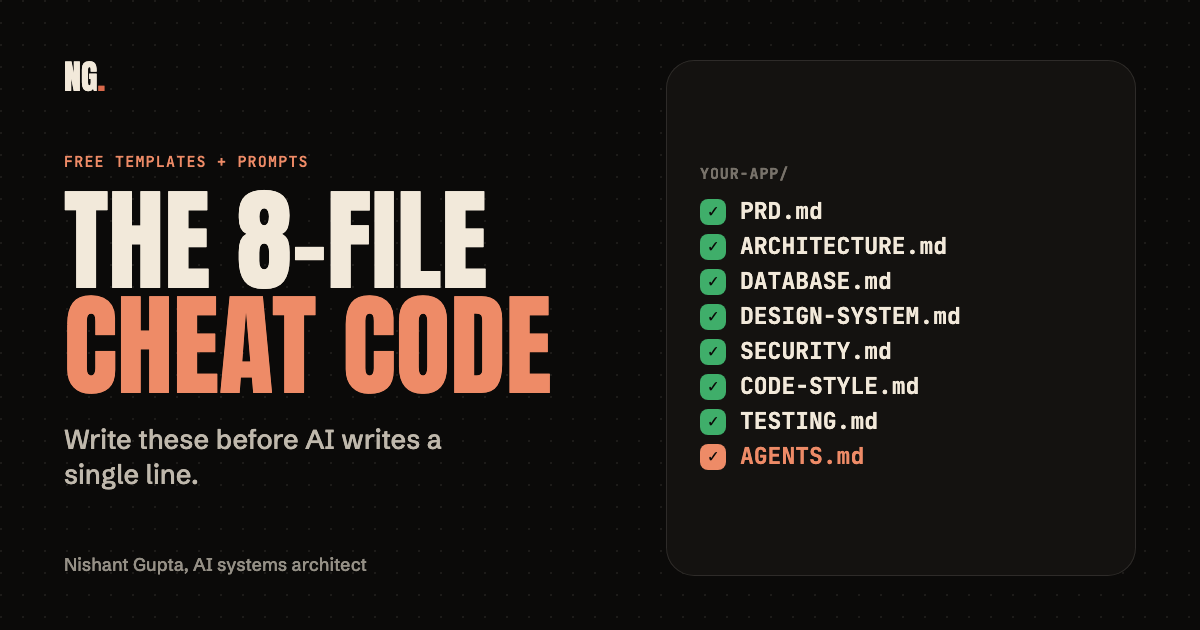
Eight short files fix this. You write the answers once. The AI reads them before it writes a single line. That is the whole trick.
Reading beats guessing. Every time.
// Build this with your AI agent
Build this with your AI agent
Want to try this? Copy the setup prompt into your coding agent with this guide's link.
Read this guide: https://codewithnishant.dev/free/8-files-before-you-vibe-code/ . Help me write the 8 project files before I build my app with AI. Create AGENTS.md in my project root and these 7 files in a docs/ folder: PRD.md, ARCHITECTURE.md, DATABASE.md, DESIGN-SYSTEM.md, SECURITY.md, CODE-STYLE.md, TESTING.md. Use the guide's section for each file as the outline. First look at my project folder. If any of these files already exist, do not overwrite them: show me and ask. Then interview me in small rounds of at most 5 questions, in plain words, with a recommended default for each, and fill in all 8 files. If I do not know something, choose a safe common default and mark it "Default chosen, please confirm". Never invent facts about my business or users: write "UNKNOWN: ask the owner". Make the files agree with each other. Do not write app code. If I use Claude Code and already have a CLAUDE.md, ask me before adding @AGENTS.md as its first line. Do not print or store secrets. When you are done, give me a summary of every UNKNOWN and every default you chose. Ask before paid services or publishing.
01. Why AI builds the wrong thing
It is fast, and it has no memory of your plan
Think of the AI as a very fast builder who shows up every morning with no memory of yesterday. You hand over a one-line brief. The builder fills every gap with a guess.
| Without the files | With the files |
|---|---|
| AI guesses what the app is for | AI reads the goal and what is out of scope |
| New library in every chat | One stack, written down |
| Fields renamed halfway through | One list of tables and fields |
| Every page looks different | One set of colors, fonts and buttons |
| Locks added if it remembers | Access rules decided before building |
| "Done" means "I wrote some code" | "Done" means checks you can run |
One guess is harmless. Fifty guesses stacked on each other is how you end up with an app nobody can fix. The files do not make the AI smarter. They just remove the guessing.
02. The 8 files at a glance
Seven files in a docs folder, and one front door
| File | Its job in one line |
|---|---|
PRD.md | What you are building, and what you are not |
ARCHITECTURE.md | The tools, the folders, how the parts connect |
DATABASE.md | The data you store, and who can touch it |
DESIGN-SYSTEM.md | Colors, fonts, spacing, buttons |
SECURITY.md | Sign-in, access rules, secrets |
CODE-STYLE.md | How the code is written |
TESTING.md | How you prove it works |
AGENTS.md | The front door: read the other seven first |
This is what your project looks like once they are in place:
your-app/
  AGENTS.md          # the front door, in the project root
  docs/
    PRD.md
    ARCHITECTURE.md
    DATABASE.md
    DESIGN-SYSTEM.md
    SECURITY.md
    CODE-STYLE.md
    TESTING.md
  src/               # your code comes later
03. The 8 files in plain words
What each one is, and how it helps
1. PRD
What it is: PRD stands for Product Requirements Document. It is one page: what the app is, who it is for, what version 1 must do, and what it must not do.
How it helps: The AI stops guessing the goal. It stops adding features you never asked for, and it stops forgetting the one you did.
A line from it: A user can book a table in under 3 clicks.
2. Architecture
What it is: The map. Which tools the app is built with, where the files live, and how the parts talk to each other.
How it helps: The AI picks one stack and keeps it. No new library in every chat, no files in random places.
A line from it: Do not add a new library if the stack can already do the job.
3. Database
What it is: The list of things your app remembers: users, orders, messages. For each one, the fields it has and who is allowed to read or change it.
How it helps: The AI stops inventing a second "users" table or renaming a field halfway through. Changes stay consistent.
A line from it: Never rename or delete a field without asking me.
4. Design system
What it is: Your colors, fonts, spacing and button styles, written down once. Also how the words on the screen should sound.
How it helps: Every page looks like one app, not five. You stop saying "make it look good" and start saying "follow the design system".
A line from it: Buttons say what they do: "Save changes", not "Submit".
5. Security
What it is: The locks. How people sign in, who can see whose data, where secrets live, and what to check before you launch.
How it helps: The locks get decided before the building starts, not remembered at the end. After you build, run the 25-check vibe coding safety checklist as a second pair of eyes.
A line from it: A user can only see and change their own data.
6. Code style
What it is: House rules for the code: how to name things, how big a file can get, how to handle errors.
How it helps: The code reads like one person wrote it. That makes it far easier to fix later, by you or by the next AI.
A line from it: One file does one job. If it gets long, split it.
7. Testing
What it is: How you prove the app works: which commands to run, what must have a test, and what "done" means.
How it helps: The AI shows proof instead of saying "done". If you want to go deeper, see red/green TDD for AI coding agents.
A line from it: Run the tests and show me the output. Do not just say "done".
8. AGENTS.md
What it is: The front door. A short file in your project root that says what the project is, lists the other seven files in reading order, and gives the rules and commands. The agents.md site describes the format as a simple, open format for guiding coding agents.
How it helps: You do not repeat yourself in every chat. The AI is told once, in one place, to read the other seven before it writes code. Here is the whole file:
AGENTS.md
# AGENTS.md

This is the front door. Read this file first. Then read the 7 files in `docs/` before you write any code.

## What this project is
<One sentence: what the app is and who it is for.>

## Read these first, in this order
1. `docs/PRD.md` : what we are building, and what we are NOT building
2. `docs/ARCHITECTURE.md` : the stack, the folders, how the parts connect
3. `docs/DATABASE.md` : the tables, the fields, who can read and write them
4. `docs/DESIGN-SYSTEM.md` : colors, fonts, spacing, components
5. `docs/SECURITY.md` : sign-in, access rules, secrets
6. `docs/CODE-STYLE.md` : how we write code here
7. `docs/TESTING.md` : how we prove it works, and what "done" means

If two files disagree, stop and ask me. Do not pick one quietly.

## Commands
- Install: `<command>`
- Run locally: `<command>`
- Run tests: `<command>`
- Build: `<command>`

## Rules
- Build one small piece at a time. Show me the plan first for anything that touches more than one file.
- Stay inside the PRD. If something is not in it, ask before adding it.
- Never put secrets in code or in these files. Use environment variables.
- Run the checks in `docs/TESTING.md` and show me the output. Do not just say "done".
- Ask before deleting files, adding paid services, or pushing anything live.
- If you are not sure, ask. A short question is cheaper than a wrong guess.

## Using Claude Code?
Claude Code reads `CLAUDE.md`. If you have one, put this on its first line so it also reads this file:

`@AGENTS.md`04. Get the templates
One ZIP, nothing to sign up for
The ZIP has all 8 files with fill-in parts marked in angle brackets, a short start-here note, and the two prompts. You can also let your agent create the files from this guide using the setup prompt at the top.
8-file-cheat-code/
  START-HERE.md
  AGENTS.md
  docs/
    PRD.md
    ARCHITECTURE.md
    DATABASE.md
    DESIGN-SYSTEM.md
    SECURITY.md
    CODE-STYLE.md
    TESTING.md
  prompts/
    1-master-prompt.md
    2-first-build-prompt.md
Each template is short on purpose. A long instruction file gets followed worse, not better. Anthropic's docs say to aim under 200 lines per CLAUDE.md file for that reason, and the same logic applies to these. These are starting points. Change anything that does not fit your project.
05. Use them in 4 steps
About 20 minutes, mostly answering questions
- Drop the files in. Put
AGENTS.mdin your project root and thedocs/folder next to it. Or skip this and use the setup prompt at the top, which creates them for you. - Let the AI interview you. Paste
1-master-prompt.md. It asks a few questions at a time and offers a default for each, so you can answer "yes" a lot. It fills in all 8 files and does not write app code. - Read the files once. This is the step people skip, and the one that matters. The AI only knows what you told it. Fix anything wrong, and look at every line marked "UNKNOWN" or "Default chosen".
- Start the build. Paste the first build prompt below. The AI reads everything, plans, builds step 1 only, and shows you proof.
06. The first build prompt
Paste this after the files are filled in
It forces the AI to read before it builds, to tell you what it understood, and to stop after step 1. That stop is on purpose. You check step 1 before the AI builds on top of it.
Paste into your agent
Read `AGENTS.md` first, then read all 7 files in `docs/` completely, before you write any code.

Then, in plan mode (do not change any files yet):
1. Tell me in 5 lines what you understood we are building.
2. List any place where the files disagree with each other, or where something is missing.
3. Propose a build order of small steps, with a "done when" check for each.

Wait for my yes. Then build ONLY step 1:
- Set up the project exactly as `docs/ARCHITECTURE.md` says.
- Follow `docs/CODE-STYLE.md`.
- Add the tests that `docs/TESTING.md` asks for.
- Run them and show me the output.

Stop after step 1 and wait. Do not start step 2.
07. Claude Code and AGENTS.md
The one detail that trips people up
The name matters, because Claude Code's own file is called CLAUDE.md. According to Anthropic's memory docs:
| Your project has | Claude Code reads |
|---|---|
| An AGENTS.md and no CLAUDE.md | Your AGENTS.md |
| Both an AGENTS.md and a CLAUDE.md | Your CLAUDE.md files only |
| A CLAUDE.md that imports AGENTS.md | Your CLAUDE.md, with AGENTS.md included through the import |
Reading AGENTS.md directly needs Claude Code v2.1.277 or later, and in some sessions Claude cannot read it directly. So the safe move, if you already have a CLAUDE.md, is to put this on its first line:
@AGENTS.mdThat pulls AGENTS.md into Claude's context at the start of every session. Not sure how CLAUDE.md works? Read the CLAUDE.md template guide and how CLAUDE.md and auto memory work.
One honest limit. Anthropic says Claude treats these files as context, not enforced configuration. Writing "read the other seven first" makes it very likely. It does not make it certain. That is why the first build prompt asks the AI to say what it understood before it builds anything.
08. Common problems
Quick fixes
| What you see | What to do |
|---|---|
| The AI ignores the files | Check the file is in the project root and you started the agent from that folder. In Claude Code, if you have a CLAUDE.md, add @AGENTS.md to it. Then paste the first build prompt, which makes the AI read the files out loud. |
| The AI follows some rules and skips others | The files are probably too long, or two of them disagree. Shorten them, and check that DATABASE.md and SECURITY.md say the same thing about who can see what. |
| The AI fills the files with made-up details | Tell it to write "UNKNOWN: ask the owner" for anything you did not say. The master prompt already does this, so if you wrote your own prompt, add that line. |
| You do not know the answer to a question | Say "pick a safe default". The AI marks it "Default chosen, please confirm", and you can fix it later. |
| The plan changes halfway | Update the files first, then tell the AI. The files are the plan. If they are old, the AI builds the old plan. |
These fixes are my own practical suggestions, apart from the CLAUDE.md and AGENTS.md rows, which follow Anthropic's docs. I did not measure how often any of these happen.
09. FAQ
What is a PRD?
A PRD (Product Requirements Document) is a short file that says what you are building, who it is for, which features are in version 1 and what you are not building. For AI coding, it is the file that stops the AI from guessing the goal or adding features you never asked for.
Do I need all 8 files?
For a real app, yes, and each one is short. For a tiny one-page project, start with the PRD, TESTING.md and AGENTS.md, and add the others when the project grows. The files cost you a few minutes each and save the AI from guessing in every chat.
What is AGENTS.md?
AGENTS.md is a plain Markdown file in your project root that tells coding agents how your project works. The agents.md site describes it as a simple, open format for guiding coding agents. In this setup it is the front door: it tells the AI to read the other seven files before writing code.
Does Claude Code read AGENTS.md?
Anthropic's docs say Claude Code can read AGENTS.md as project instructions, from v2.1.277 or later, when you have no CLAUDE.md. If you do have a CLAUDE.md, Claude reads only the CLAUDE.md files, so put @AGENTS.md on the first line of your CLAUDE.md to include it.
Does this work with Cursor, Codex or other AI coding tools?
The files are plain Markdown, so any AI coding tool can read them. The agents.md site lists tools such as Codex, Cursor, Gemini CLI, Windsurf and GitHub Copilot's coding agent as using AGENTS.md. I wrote and checked this guide against Claude Code's docs, and I did not run the templates in the other tools.
Can AI write these 8 files for me?
Yes. The master prompt in this guide makes your AI agent interview you in small rounds and fill in all 8 files. You still have to read them once and fix anything wrong, because the AI only knows what you tell it.
10. Sources and what I checked
Checked 17 October 2026
Docs change. Recheck them before you rely on them. These are the sources for the factual claims in this guide.
- How Claude remembers your project: the AGENTS.md section, which file Claude Code reads in each case, the v2.1.277 requirement, the
@AGENTS.mdimport, "context, not enforced configuration", and the under-200-lines guidance. - agents.md: the description of AGENTS.md as a simple, open format for guiding coding agents, and the list of tools that use it.
What I checked, and what I did not
I read the two pages above on 17 October 2026 and checked the Claude Code and AGENTS.md statements in this guide against them. The "without the files" problems in section 01 are the reasoning behind the method, not measured results. The templates are my own starting points, and I did not measure how much they improve your build. Treat the files as a first draft and adjust them after a few real tasks.
Eight files. One prompt. The AI stops guessing and starts reading.
// Free newsletter
I send out guides like this every week
Real setups, real sources, no hype. Drop your email and I'll send you the next one.