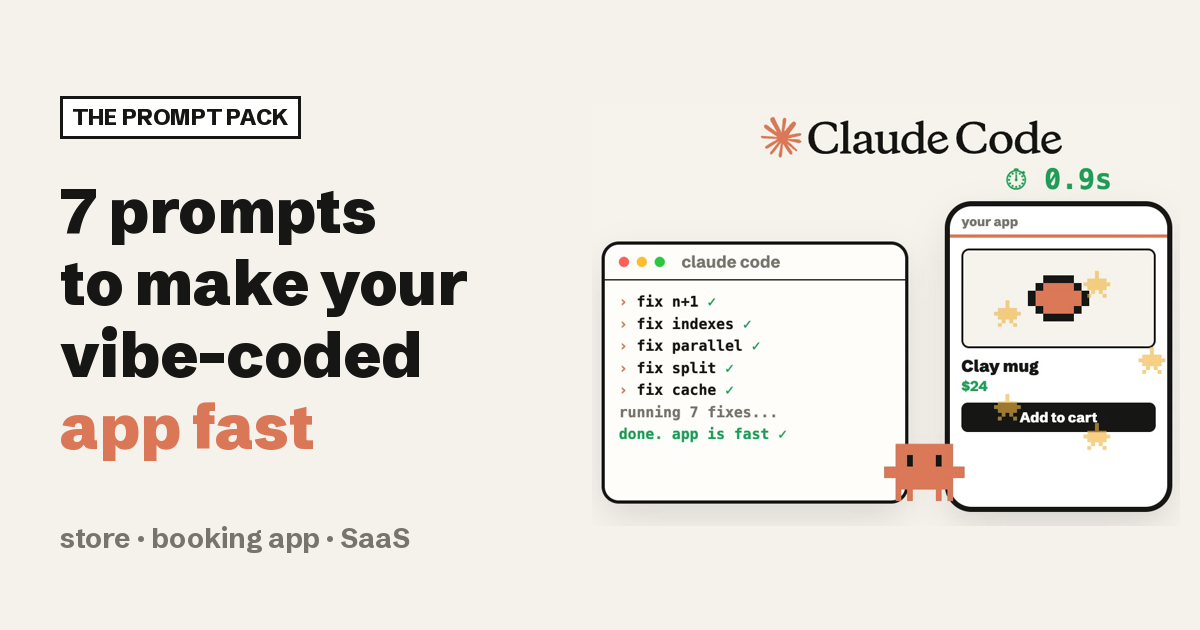
AI coding tools build exactly what you ask for. Nobody asks for "and make the database query use an index", so it rarely happens. That is the whole problem, and it is why one short prompt per fix works so well.
And speed is not a nice-to-have. Google's mobile data says that as page load time goes from one second to three seconds, the probability of a visitor bouncing goes up 32%.
Measure, paste one prompt, measure again.
// Build this with your AI agent
Build this with your AI agent
Want your agent to go through the whole pack? Copy this into Claude Code (or Cursor, Codex, any coding agent) inside your project.
Read this guide: https://codewithnishant.dev/free/vibe-coded-app-speed-prompts/. Audit my app for the seven problems it lists: oversized images, whole tables downloaded and filtered in the browser, database queries inside loops (N+1), missing indexes (including columns used in row level security policies), independent requests that run one after another, one big JavaScript bundle, and missing caching. First run Lighthouse on mobile (or tell me how to) and record the scores. Then list what you found for each of the seven, with file paths, and rank them by impact. Fix one at a time, and after each fix show me the diff and stop for my OK. Do not change how the app looks or behaves, do not touch secrets or environment files, and do not delete data. At the end, run Lighthouse again and show me before and after.
00. Measure first
Open your app in Chrome, open DevTools, go to the Lighthouse tab, pick Mobile and run it. Or paste the URL into PageSpeed Insights. Lighthouse scores 90 to 100 as good, 50 to 89 as needs improvement and below 50 as poor. Save the report: it is your "before".
Run Lighthouse on mobile for my app's main pages, before and after your changes, and show me both scores with the top three things it flags.01. Images
Usually the biggest single win on stores and landing pages
AI-built apps often send a full-size photo to a phone screen. Three fixes stack here: a modern format, the right size, and loading images only when they are about to be seen. In a controlled test by ctrl.blog, AVIF files came out about half the size of the matching JPEG on median, and WebP about 30% smaller. Native lazy loading is one attribute, loading="lazy", documented on MDN.
Convert every image in this app to AVIF (with a WebP or JPEG fallback using the picture element), resize each one to the largest size it is actually shown at, add width and height so the layout does not jump, and add loading="lazy" to every image below the fold. Do not lazy-load the main image at the top of the page.Keep the top image eager. Lazy-loading the first big image makes the page feel slower, not faster.
02. Filter in the database, not the browser
The classic AI-builder mistake on dashboards and admin panels
The app asks for the whole table, then filters, sorts and counts it in JavaScript. Fine with 50 rows, painful with 50,000. Let the database do it and only send one page of rows.
Find every place we fetch a whole table and then filter, sort or count it in the browser. Move that work into the database query, select only the columns the screen shows, and paginate with 20 rows per page. For big tables, use keyset (cursor) pagination instead of offset.03. N+1 queries
The sneaky one: it looks fine until you have real data
The page loads a list, then runs one more query for every item in it. Fifty products on a page means fifty one database calls. The fix is one query that gets everything at once.
Find every database query that runs inside a loop or inside a component rendered once per list item (N+1). Replace each one with a single query using a join, an IN list or your ORM's eager loading. Show me the number of queries per page before and after.04. Indexes, including your security policies
Critical if your app runs on Supabase
Without an index, the database reads every row to find yours. The part most people miss: Supabase's row level security docs say to "add an index on every column your policies filter on", because Postgres checks the policy against each candidate row, and an unindexed filter column turns a read into a sequential scan. The same page recommends writing (select auth.uid()) instead of auth.uid() in policies.
List every column we filter, sort or join on, including the columns used in our row level security policies. Add an index where one is missing, rewrite auth.uid() in policies as (select auth.uid()), and show me EXPLAIN ANALYZE for the slowest queries before and after. Do not drop or change any existing data.05. Run independent requests at the same time
Requests waiting in line for no reason
The page loads the user, then the orders, then the stats, one after another, even though none of them needs the others. That is called a request waterfall. Running them together cuts the wait to roughly the slowest single request.
Find requests and awaits that run one after another but do not depend on each other, on the client and on the server. Run them at the same time (for example with Promise.all) and keep the ones that truly depend on each other in order.06. Split the code by page
Your login page should not download your chart library
Many AI-built apps ship one big JavaScript file, so the login page downloads the dashboard's charts, maps and editors. Code splitting gives each page only what it needs and loads heavy parts on demand.
Run a bundle analysis and show me the biggest parts. Split the code by page (route-based code splitting), lazy-load heavy components like charts, maps and rich text editors only when someone opens them, and replace any large library we only use one function from.07. Cache what does not change
Your logo should not download again on every visit
Static files with a hash in their name (most builds do this) can be cached for a year, as described in MDN's Cache-Control reference. Data that rarely changes can be cached for a short time and refreshed in the background.
Set Cache-Control: public, max-age=31536000, immutable on our hashed static files (JS, CSS, fonts, images). Cache API data that does not change every second (for example with stale-while-revalidate or our data library's cache time), and make sure user-specific data is never cached publicly.Which first, by app type
If you build apps for clients or run one for your own business, start where the slowness hurts most:
| App | Run first | Why |
|---|---|---|
| Online store | 01 images, 07 caching, 06 split | Product photos are the heaviest thing on the page, and returning shoppers should not re-download the shop |
| Booking app | 04 indexes, 03 N+1, 05 parallel | Calendars and slot lists are database lookups by date and user, run many times per screen |
| SaaS dashboard | 02 filter in the database, 04 policy indexes, 06 split | Tables grow every week, Supabase policies run on every row, and chart libraries are huge |
| Landing page | 01 images, 07 caching | Mostly images and static files |
Showing a client the result: run Lighthouse on mobile before you start and after you finish, and put both screenshots in your handover note. A before and after on their own app is more convincing than any explanation.
Make it the default
Paste this into your project's CLAUDE.md (or your agent's rules file) so new features are built fast from the start:
## Performance rules
- Images: AVIF or WebP with a fallback, sized to how they are shown, width and height set, loading="lazy" below the fold.
- Never fetch a whole table to filter, sort or count it in the browser. Do it in the query and paginate (20 rows).
- No database queries inside loops. Use joins, IN lists or eager loading.
- Add an index for every column we filter, sort, join on or use in a row level security policy.
- Run independent requests in parallel.
- Split code by route and lazy-load heavy components (charts, maps, editors).
- Long cache headers on hashed static files, short caching for data that rarely changes.
- After a big change, run Lighthouse on mobile and report the score.
For the security side of the same apps, use my vibe coding safety checklist and 30 security holes your AI never checks.
FAQ
Why is my vibe-coded app slow?
AI coding tools build what you ask for and usually skip performance work you did not ask for. The common causes are full-size images, downloading a whole table and filtering it in the browser, a database query inside a loop (N+1), missing indexes, requests that wait on each other for no reason, one giant JavaScript bundle and no caching.
Which fix should I run first?
Measure first. Run Lighthouse on mobile in Chrome DevTools or PageSpeed Insights, then fix whatever it flags as the biggest cost. Images and the database fixes usually give the most visible win on AI-built apps.
Do these prompts work outside Claude Code?
Yes. They are plain instructions, so they work in Cursor, Codex, Lovable, Bolt or any coding agent that can read and edit your project.
Is AVIF supported in browsers?
AVIF is supported in current Chrome, Edge, Firefox and Safari. Serve it with a WebP or JPEG fallback using the picture element if you need older browsers.
Why index columns used in Supabase row level security policies?
Supabase's own documentation says to add an index on every column your policies filter on, because Postgres checks the policy against each candidate row and an unindexed filter column turns a read into a sequential scan.
What I checked, and what I did not
On 7 November 2026 I checked each fix against its source: Supabase's row level security docs, MDN on lazy loading and Cache-Control, Lighthouse's score ranges, ctrl.blog's AVIF and WebP test, and Google's page load data. These are standard practices, not a test I ran on your app, so the gains depend on your project. Measure before and after.
Seven prompts, one at a time, with a score before and after. That is how a vibe-coded app starts feeling like a real product.
// Free newsletter
I send out guides like this every week
Real setups, real sources, no hype. Drop your email and I'll send you the next one.