Yes, you can make motion videos with Claude Opus 5.5 by having it write animation code. A browser renderer draws the frames and FFmpeg exports the MP4. Start with one short brand intro, your real assets and a reusable skill. You keep the code, so the next version can change the message, colours or timing.
I gathered eight resources for this guide. The useful next step is choosing one route and finishing a small video. The walkthrough below uses kinetic-reel; the other seven resources help with references or different kinds of films.
See what creators are making
Watch the output, then study the prompt or production explanation. These are the creators’ own examples. Their one-shot results and render times are not promises for your project.
Tony Dinh
A TypingMind product-launch video. Notice the clear product story and changing visual rhythm.
Watch the original postPrasenjit
The creator says Opus wrote the code for both the animation and synthesized soundtrack. His follow-up describes the workflow.
Watch the original postBrain
A Spotify-themed motion-design example. Study pacing, type and composition; use your own brand assets.
Watch the original postPrasenjit’s workflow and prompt explains the coded soundtrack. For a film-style gallery, open Lemo-Opuscar’s playable gallery.
What happens between a prompt and an MP4?
Claude Opus is the model doing the coding. Claude Code is the environment where it can inspect your project and work with files. A skill supplies a production method. The renderer and encoder produce the playable file.
- 01 · BriefYour assets, message and storyboard
- 02 · CodeScenes, type, timing and optional sound
- 03 · FramesThe renderer draws each moment
- 04 · MP4FFmpeg encodes the approved sequence
This is different from asking a video-generation model to predict a clip from a text prompt. Here the reusable deliverable is the project code. The kinetic-reel repository describes frame-driven code rendered in headless Chrome. Read the workflow.
Bring a clear brief and real inputs
Start with a 10–15-second intro. Give it one message and three scenes: say what matters, show the product, then reveal the logo. A long film adds more continuity, audio and review work.
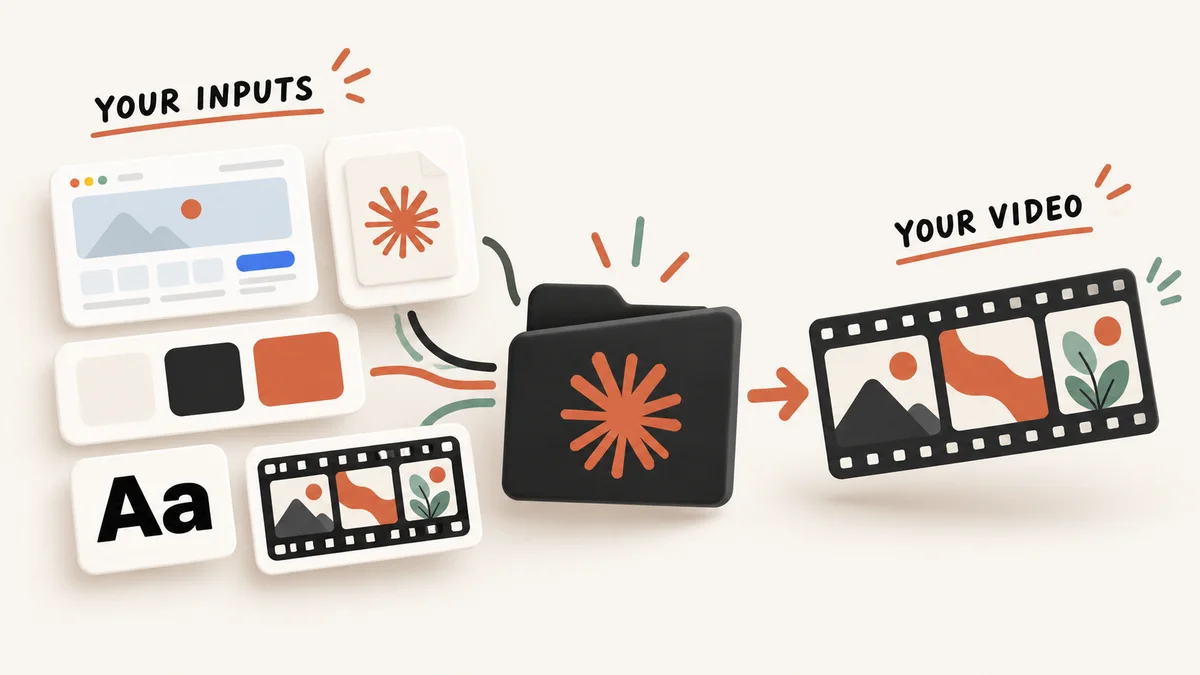
Prepare a logo, a real screenshot, exact colours, a font and one style reference. Describe what you like about the reference: the pacing, typography or camera movement. Keep the wording and product facts yours.
Download the editable BRAND.md template. Fill in the audience, message, closing text and approved claims. Then organise a small folder:
my-brand-reel/
  BRAND.md
  assets/
    logo.png
    product-screen.png
  STORYBOARD.md       # created during planning
  out/                # preview and final MP4
Missing an input? Ask Claude to list it before building. A logo, testimonial or product feature should not be guessed to fill a gap.
Install one production route
For this walkthrough, use opus-video-skills → kinetic-reel. Its README requires Claude Code with Opus 5.5, Node.js, Google Chrome and FFmpeg. Python with NumPy is listed for painted-animation’s tempo detection, not as a universal kinetic-reel requirement.
Use the official downloads for Claude Code, Node.js, Chrome and FFmpeg. Start Claude Code in your project folder. In its interactive session, enter these commands, one at a time:
/plugin marketplace add tuzhechen2005/opus-video-skills
/plugin install kinetic-reel@opus-video-skills
The marketplace and plugin names match the repository manifest. Review the install details, choose the scope and confirm the plugin is active. Follow any reload instruction shown by your session. These slash commands belong inside Claude Code, not your normal shell. Official plugin instructions.
In Claude Desktop’s local Code tab, plugins are also managed from + → Plugins. Cloud sessions have different plugin support, so keep this walkthrough in a local project. Attach your reference images and complete brand brief. Desktop setup and file context.
Three prompts to copy and adapt
The prompts are starting briefs I prepared for this guide. Replace the brackets with your inputs. The first asks for a storyboard and a short preview before a complete export.
1. Plan and build the first video
Use the kinetic-reel skill to make a 15-second vertical brand intro.
Read BRAND.md and inspect assets/ first.
Audience: [who this is for]. Message: [one accurate sentence].
Format: 1080 x 1920, 30 fps, MP4. Keep editable project code.

Propose a three-scene storyboard with exact timings before coding:
1. Make the main message readable immediately.
2. Show my actual product screenshot with purposeful motion.
3. Reveal my supplied logo and the exact closing text.

Use my colors and fonts. Identify missing inputs rather than inventing them.
Keep text readable on a phone and preserve the logo proportions.
Start with silent video so the motion can be reviewed on its own.
Render a short opening preview and a contact sheet first.
Check spelling, cropping, overlap, blank frames and scene transitions.
After my review, render out/brand-intro.mp4.
Save the source, dependencies and exact render instructions.
2. Revise the same project
Revise the exact project used for out/brand-intro.mp4.
Change the headline to [new exact words].
Change the palette to [hex values].
Change actual transition durations from [old] to [new] seconds.
Keep the scene starts, total duration, assets, resolution and frame rate.
Do not speed up the finished video.
Render a revised preview and identify the source changes.
After review, export out/brand-intro-v2.mp4.
Save the updated source and configuration.
3. Fix one visible problem
At [timestamp] in [output file], [describe the visible problem].
Change only the affected layout or transition.
Preserve approved copy, logo proportions, total duration and other scenes.
Render the affected range and a full-resolution still.
Check that the fix introduces no overlap, blank frames or cropping errors.
Show the preview before exporting the full video.
Once the motion works, choose your audio route. You can ask for an original instrumental generated in code, or supply a track you can use. A soundtrack written in code and a song supplied to a music-video project are different workflows.
The eight GitHub resources
Choose by the result you need. The 475, 63 and 43 counts below are repository listings checked on 4 October 2026, not benchmark scores or guarantees.
Awesome Opus 5.5 Videos
475 listed videos and prompts, with links to original posts. Browse for a visual direction before writing your brief.
Before you start: Use it for inspiration and available creator prompts. A gallery entry is not automatically a downloadable project.
Open the repositoryAwesome Opus 5.5 Prompts
63 examples across animation, 3D scenes, games and other projects. Useful when you want to see how a task was described.
Before you start: The README identifies one entry with source code. Do not expect a runnable repository for every example.
Open the repositoryopus-video-skills
The kinetic-reel skill guides typography-led videos; painted-animation is a separate hand-painted route. Both include production instructions.
Before you start: Kinetic-reel needs Claude Code, Node.js, Chrome and FFmpeg. The repository states MIT; included third-party materials still need their own checks.
Open the repositoryLemo-Opuscar
43 listed film styles with short-film examples and style instructions. Choose a style and bring a story.
Before you start: This is a different plugin route. Its README requires Node 20+, FFmpeg and Python 3.11+ or uv. Demo assets retain their own credits.
Open the repositoryClaudeAnimationBase
A p5.js and p5.brush starter with a character, animation instructions and a renderer. Good for learning how an acting scene is constructed.
Before you start: Requires Node.js, Chrome and FFmpeg. Watercolour work can be slow on integrated graphics. The code is MIT licensed.
Open the repositoryPDoomVideo
A complete example to study scene structure, storyboarding and rendering across a long music video.
Before you start: Its song is supplied separately. Do not describe this as proof that Claude generated the song, or assume the music is cleared for your own commercial use.
Open the repositoryshipvideo
A website-to-video project where Opus writes HTML and an OpenComputer agent renders frames and encodes the MP4.
Before you start: An advanced application route with an OpenComputer account and service setup. It is not the same local install as kinetic-reel.
Open the repositoryMotion graphics: noimage
A music-video skill using a native Swift renderer, supplied music and a creative brief. The default workflow avoids image/video-generation models.
Before you start: macOS 14+, Swift/Xcode tools, Ruby 3.2+, FFmpeg, ImageMagick, Python and uv are required. Optional audio services are a separate choice.
Open the repositoryWhat is free, and what costs money?
The public repositories and starter templates are separate from your Claude usage. As checked on 4 October 2026, Anthropic lists Pro at $20 per month billed monthly, or $200 billed annually, and Max from $100 per month. These are US-dollar advertised plan prices; local checkout and taxes can differ. A higher plan is not a requirement to try this guide.
For API billing, the standard Opus 5.5 rate is $4 per million input tokens and $20 per million output tokens. Those are token prices, not the price of one video. Retries, context, output length and optional services change the total. Current plan pricing · Official model pricing.
| Part | What to budget for |
|---|---|
| Claude | Your plan’s allowance or API usage. Check usage before a long iteration. |
| Local render | Machine time, disk space and dependencies. Complex effects can render slowly. |
| Hosted workflows | Separate accounts and possible service charges, depending on the route. |
| Assets and music | Your rights to use the material, independently of the code licence. |
Keep the first attempt short, inspect a few frames, then request one specific correction. That reduces avoidable rerenders. It does not guarantee a fixed token bill or render time.
Fix the first take before exporting
| What you see | A useful correction |
|---|---|
| The headline is hard to read | Increase type size and hold it longer. Review at phone size. |
| The logo looks stretched | Use the supplied file at its original aspect ratio. |
| A clip freezes early | Check the source duration against the time allocated to it. |
| A transition flashes blank | Review a frame strip across that transition and fix the hand-off. |
| The music dominates | Lower the mix and listen again, especially under any speech. |
| The render fails | Read the exact dependency/path error. Verify Chrome, Node and FFmpeg for the chosen renderer. |
Check the preview, then the encoded MP4. Look for spelling, cropping, readable text, correct product facts, usable audio and clean transitions. Keep the brief, source, assets, render command and accepted output together.
Your starter pack
BRAND.md, three prompts, the setup/export checklist and all eight links. No third-party videos or songs are bundled.
Download the free starter packGet only the promptsFrequently asked questions
Do I need to know animation code?
The agent can write it, but you still need to provide assets, judge the result and run or troubleshoot the chosen workflow. A short three-scene video is a practical first scope.
Is this the same as text-to-video generation?
This guide focuses on code-drawn animation rendered into an MP4. Some other workflows also use generated media, but that is a separate production route.
Do I need all eight repositories?
No. Use kinetic-reel for the walkthrough. Browse the galleries for references; choose another project only when its style and requirements fit your goal.
Can I use the finished video commercially?
Check the selected code licence and every asset or song you include. An MIT code licence does not automatically license an example’s music, logos or footage.
Does Claude make the music every time?
No. Some examples synthesize music in code; others use a supplied track. Decide your audio route explicitly.
Will the same prompt reproduce a creator’s video?
Not necessarily. Model, context, assets, tools and revisions can change the output. Use the example to describe a direction, then review your own result.
Bring your first version to the community
Share your animation in #build-in-public with the prompt, the route you used and one thing you want feedback on. Ask setup questions in #models-and-tools; find guides and prompts in #resources.
Join the Code With Nishant Discord and compare what you built with other builders. A small finished video gives you something concrete to improve.
Sources and checks
Repository READMEs, the kinetic-reel manifest and skill, licences and official Claude documentation were checked on 4 October 2026. Creator descriptions are attributed to their original posts. Setup instructions are documentation-checked; this guide does not claim an independently reproduced Claude session.
- Claude Code plugin installation
- Claude Desktop file context and local Code sessions
- Claude plans and pricing
- Opus 5.5 model overview and pricing
- Kinetic-reel production instructions
- opus-video-skills licence
The eight repository links above are the primary sources for their route descriptions. Related: turn a GitHub project into a launch video with Brag.