01. Write the Idea Down
The short answer. Before you open any tool, write one paragraph: who the app is for, and what problem it actually solves. Not the feature list, not the tech stack. Just the person and the problem.
Most app ideas stay stuck at "I have an idea" because the idea itself is still fuzzy. If you cannot say who it is for and what it solves in two sentences, you are not ready to plan, design, or build yet, you are ready to write. That one paragraph is what every later step (the MVP cut, the AI plan, the design references) gets measured against.
02. MVP: The Smallest Useful Version
The short answer. Do not put every feature you can think of into version one. The MVP mistake almost everyone makes is building too much before anyone has used it.
The actual definition, from Eric Ries and used in MIT's own summary of it, is that a minimum viable product is the version of a new product that lets a team collect the maximum amount of validated learning about customers, for the least effort. It is not about being small for the sake of being small. It is about learning from real users as fast as possible.
My own rule of thumb, not a number from that research: pick 2 to 3 core features, not more. That is small enough to actually ship and learn from, and just enough that the app is genuinely useful rather than a stripped down demo. Treat it as a practical default, not a rule someone else proved.
Whatever else your app could eventually do goes on a list for later, not into version one. You will build the rest once real users tell you which of it actually matters.
03. Plan: Let AI Find the Gaps First
The short answer. Give an AI coding agent your idea paragraph, your notes, your screenshots and any references, and have it review the idea, find gaps, and draft a technical spec before you write a line of code.
Claude Code is Anthropic's agentic coding tool that runs in your terminal. Give it your idea and it can read your notes and references, ask what you missed, and draft a spec for the MVP you just cut down. Its plan mode is built for exactly this: it drafts an implementation plan in a read only mode, before it changes a single file, so you review the plan before anything gets built.
That review step matters. Plan mode drafts a plan, it does not guarantee a correct one. Read what it proposes, push back on what is missing, and only then let it move from planning to building.
Where ChatGPT Work actually fits
OpenAI launched ChatGPT Work on 9 July 2026, for Pro, Enterprise and Edu accounts. It is a workplace agent: it gathers context from your connected apps and files and completes multi step projects across documents, spreadsheets, decks and reports. If part of your planning is turning messy notes and screenshots into an actual written spec document, that is the kind of work ChatGPT Work is built for.
What it is not is a code first agent. That is Codex, OpenAI's own coding agent. So the honest split is: ChatGPT Work for turning scattered notes into a clean document, Claude Code or Codex for reviewing the idea as a builder and actually writing code. Do not hand the coding half of this step to ChatGPT Work, it is not built for that job.
04. Design: Stop Saying "Make It Look Good"
The short answer. If you do not know UI or UX, do not tell your AI to "just make it look good." Collect real references first, then hand those to your AI.
"Make it look good" is not a design brief, it is a shrug. AI coding agents are far better at matching a reference than inventing taste. Your job is to bring the reference, not the adjective.
General design inspiration
References built for actual apps
The four above are mostly web design galleries. For a mobile or web app specifically, these two map more directly onto real app screens:
The platform's own rules
If you are building for iOS, Apple's Human Interface Guidelines cover hierarchy, layout, typography, accessibility and the native iOS patterns users already expect. Read the section for the screen type you are building before you design it, not after.
Once you have two or three references you actually like, give those to your AI, screenshots and links both, and ask it to build toward that look, not toward "good."
05. Build: One Feature at a Time
The short answer. Build one feature at a time on Claude Code or Codex. Do not trust what the AI built. Test it yourself before you move to the next feature.
This is the same coding agent from the planning step, now doing the actual building, one feature from your MVP list at a time. Resist the urge to ask for everything at once. A feature you have used yourself is a feature you can trust. A feature you have only read the diff for is not.
"Test it yourself" means actually opening the app and using that feature the way a real user would, not skimming the code and assuming it works. That manual pass is also what feeds the next step.
06. Test: Turn What You Checked into a Script
The short answer. Once you have manually tested a user flow, turn it into a repeatable test, so you can run the same check again automatically the next time something changes.
Every feature you build touches code that already works. Without a repeatable test, you find out something broke when a user tells you, not before. Anthropic's Agent Skills are folders of instructions, scripts and resources that Claude loads when relevant, in the Claude apps, in Claude Code, and through the API, and they can include executable code. That makes them a natural place to package a testing routine: the steps for a flow, and the script that runs it.
Be precise about what is actually doing the work here. A skill is a packaging mechanism, not a test framework by itself. What makes a test repeatable is the script inside it, the same script you could run by hand. The skill just makes it easy to reach for and reuse.
A useful pattern: name the test after the exact flow it checks, for example a flow like menu → add item → pay becomes a script named after that path. When you change checkout code later, you rerun that one script instead of clicking through the whole app again by hand.
07. Worked Example: A Cafe App
Illustrative example, not a real build or measured data. To make all seven steps concrete, here is how they play out on one hypothetical app.
Idea: regulars at a cafe who want to reorder their usual in two taps, aimed at the office crowd during the 8 to 10am rush, where the morning queue can run around six minutes.
MVP, 3 features: see the menu, order, pay. Nothing else in version one.
Here is everything that got cut for later, on purpose:
- loyalty points
- AR menu
- table booking
- barista chat
- streaks
- referrals
- dark mode
- analytics
- gift cards
- reviews
- push notifications
- "AI everything"
Plan: hand the idea, the 3 feature MVP and a couple of competitor screenshots to Claude Code in plan mode. Review the plan it drafts, correct what is missing (say, how a repeat order actually pulls a saved item), then approve it.
Design: pull ordering flow references from Mobbin, check Apple's HIG for how iOS handles a cart and a payment sheet, and hand those references to the agent instead of saying "make it look clean."
Build: build the menu screen first, use it yourself, then order, use it yourself, then pay, use it yourself. One feature, one check, then the next.
Test: the flow you just checked by hand, menu, add a latte, pay, becomes a repeatable script. Every time the payment code changes later, that script runs again before anything ships.
Ship: the 3 feature version goes out to real regulars first. Loyalty points and the rest of that discarded list only get built if the people actually using the app ask for them.
08. The Full Framework
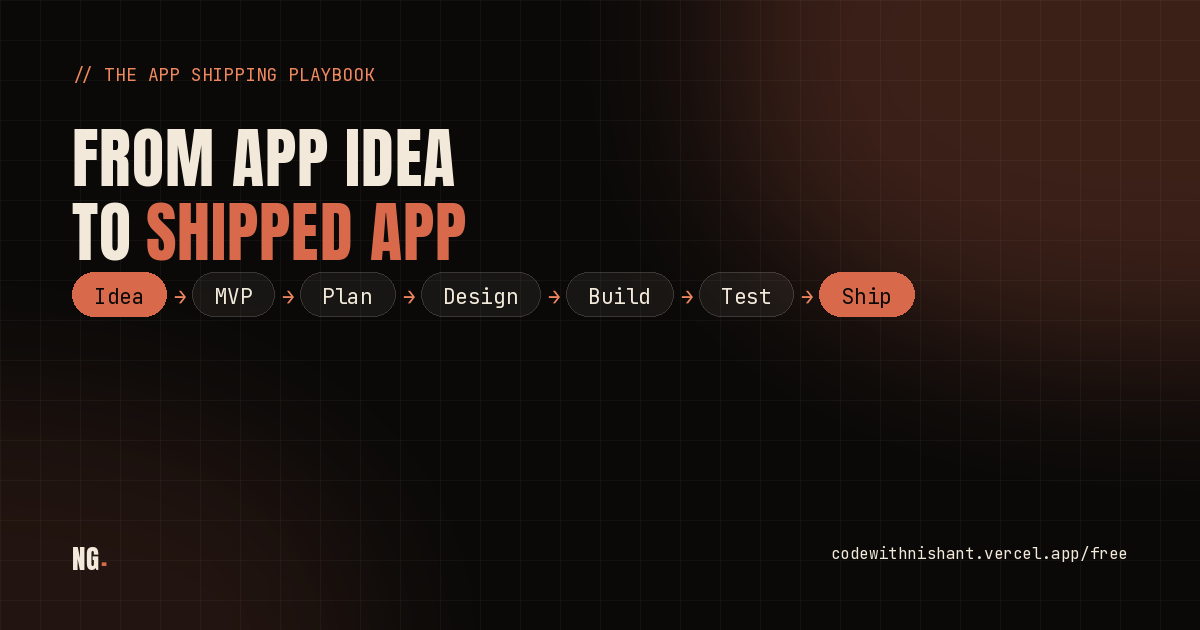
Idea, then MVP, then plan, then design, then build, then test. That order is not random, each step is measured against the one before it: the MVP is cut against the idea, the plan is built against the MVP, the design references are chosen for that plan, the build follows the design one feature at a time, and the test locks in what you already checked by hand.
That is how an app idea actually becomes something you can ship, and how you keep shipping the next feature after it, on purpose instead of by random AI workflow.
09. FAQ
What is the fastest way to go from an app idea to a shipped app?
Write the idea down in one paragraph, cut your first version to 2 or 3 core features, hand your notes and references to an AI coding agent to find gaps and draft a spec, collect real design references before you ask for UI, build one feature at a time and test it yourself, then turn that manual testing into a repeatable script. Idea, MVP, plan, design, build, test, ship.
How many features should an MVP have?
There is no fixed number in the research. The real principle is the smallest version of a product that lets you learn the most from real users for the least effort. 2 to 3 core features is a practical default, not a proven rule.
Is ChatGPT Work the same as Codex?
No. ChatGPT Work is OpenAI's workplace agent for documents, spreadsheets, decks and reports, launched 9 July 2026. Codex is OpenAI's code focused agent. For writing an app's actual code, use Claude Code or Codex, not ChatGPT Work.
Where do I find real UI references before I design an app?
21st.dev, Godly, Awwwards and Motion Sites for general design inspiration. Mobbin and Page Flows for real, screenshotted app screens and recorded user flows, which map more directly onto an actual app. Apple's Human Interface Guidelines for the platform's own layout and accessibility rules.
Can I trust AI coding agents to build a feature correctly without checking?
No. Build one feature at a time and test each one yourself before moving on. Plan mode drafts a plan, it does not guarantee a correct one, and the same caution applies to the code it writes.
What does it mean to turn a user flow into a repeatable test?
Writing down the exact steps you just checked by hand as a script that runs again automatically whenever the code changes. An agent skill can package that routine, but the script itself is what makes it repeatable, not the packaging.
Related Guides
- The Claude Code agent stack. What to hand to an agent once your plan and build steps are sorted.
- Add Red/Green TDD to your AI coding prompts. One prompt addition that forces a failing test before the fix, useful the moment you start writing repeatable tests.
- 3 rules to stop AI making you a worse developer. For when "test it yourself" starts slipping.
- Connect Claude Code to 600+ free AI models. Save your paid usage for the planning and building steps that actually need it.
10. Sources
- MIT's summary of the MVP definition. The validated learning definition behind the MVP step.
- Claude Code product page. What the agent is and does.
- Claude Code in an hour. Anthropic's own walkthrough, including plan mode.
- Introducing workspace agents in ChatGPT. OpenAI's own description of ChatGPT Work, launched 9 July 2026.
- 21st.dev. Component and template library with copy prompt output for coding agents.
- Godly. Curated design gallery.
- Awwwards. Site of the day awards and inspiration library.
- Motion Sites. Animated site design gallery and prompt marketplace.
- Mobbin. Real mobile and web app screens and flows.
- Page Flows. Recorded, annotated real user flows.
- Apple Human Interface Guidelines. Platform design and accessibility rules.
- Anthropic: Agent Skills. What a skill actually is and what it can package.
// Free newsletter
I send out guides like this every week
Real setups, real sources, no hype. Drop your email and I'll send you the next one.